Category Archives: Industry Resources

Industry Resources covering technical guides, equipment knowledge, maintenance practices, industry trends, and practical information for manufacturing professionals.

How Digital Technologies Transform Factory Management

How Digital Technologies Transform Factory Management

Running a modern factory involves far more than keeping machines operating. Production schedules, equipment conditions, quality records, material availability, maintenance work, energy consumption, and delivery plans all influence one another. When information from these areas remains separated, managers may spend a significant amount of time collecting updates before they can understand what is actually happening.

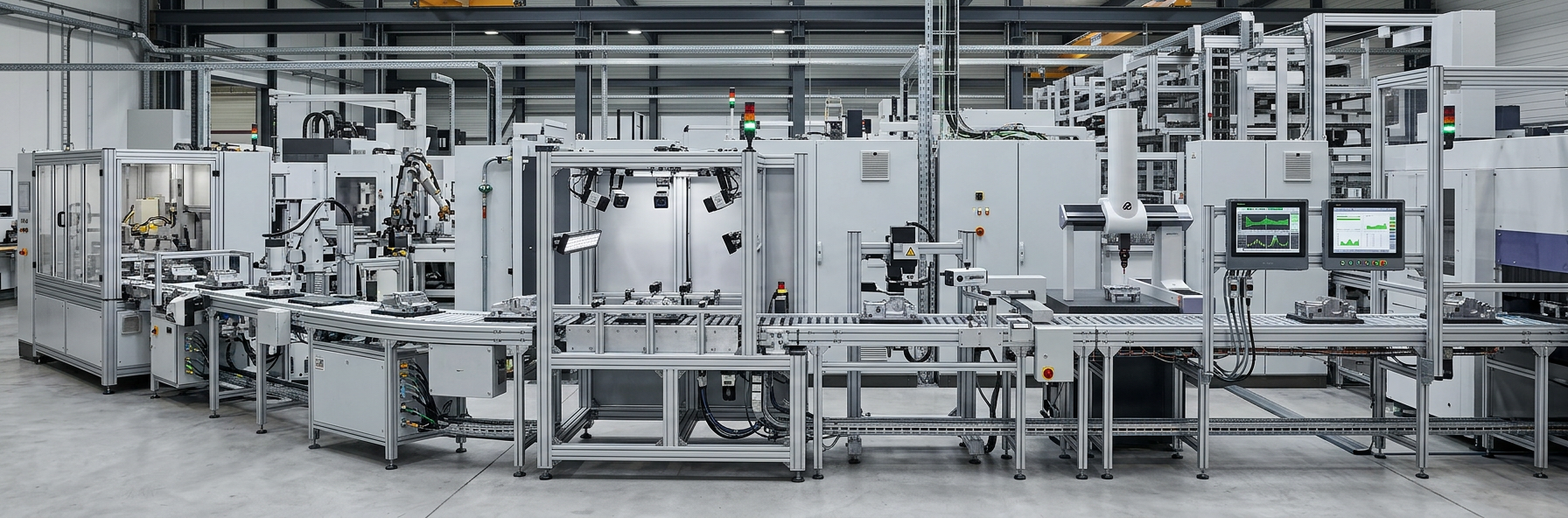
Digital technologies are changing this situation. Connected equipment, industrial networks, data platforms, automation systems, analytics, and digital monitoring tools are creating new ways to organize information across the production environment.

The interesting part is not simply that factories are using more software. The bigger change is how information moves from the shop floor to the people making operational decisions.

A machine can generate a signal. A control system can record it. A data platform can place it alongside production records. An analytical tool can identify a pattern. A manager can then decide whether maintenance, scheduling, quality inspection, or another action is needed.

That creates a much more connected relationship between physical production and factory management.

Why Is Factory Management Becoming More Data-Driven?

Why Is Factory Management Becoming More Data-Driven

A production facility can generate thousands of individual observations during normal operation.

Machines have operating states. Sensors detect physical conditions. Controllers record process events. Quality systems collect inspection results. Maintenance teams document repairs. Warehouses track material movement. Production planners manage orders and schedules.

None of these information sources is particularly useful if it remains isolated.

Consider a simple production delay.

A machine stops unexpectedly.

The immediate problem appears to belong to production. But the consequences may extend to several departments:

Equipment Stop → Production Delay → Schedule Change → Material Requirement Change → Delivery Planning

A connected information environment makes this chain easier to see.

Instead of treating the machine stop as an isolated incident, managers can examine what happened before the event, which process was affected, what work was interrupted, and what other activities may now need adjustment.

This is one of the practical reasons digitalization has become an important subject in manufacturing.

1. From Periodic Reports To Current Production Information

Traditional factory reporting often depends on information collected after production activity has already taken place.

A shift report might explain what happened during the previous working period. A maintenance record might be updated after a repair. Quality information may become available after inspection.

These records remain useful, but they provide a historical view.

Connected systems can provide information much closer to the time when an event occurs.

Managers may be able to see:

  • Equipment operating status
  • Production progress
  • Machine interruptions
  • Process conditions
  • Quality events
  • Material movement
  • Maintenance activities
  • Production schedule changes

The practical difference is significant.

Instead of asking only, "What happened yesterday?", a production manager can also ask, "What is happening now, and does it affect today's plan?"

Information Flow In A Connected Factory

Production SourceInformation GeneratedPossible Management Use
MachinesOperating statusProduction monitoring
SensorsProcess conditionsProcess review
PLC systemsControl statesEquipment diagnosis
Inspection systemsQuality resultsQuality analysis
Maintenance recordsRepair historyMaintenance planning
Warehouse systemsMaterial statusProduction planning
Scheduling systemsOrder progressCapacity management

The objective is not to collect information simply because technology makes collection possible.

Useful information is information that helps someone make a decision.

2. Connected Equipment Creates A More Complete Picture

Machines have always produced signals and operating information.

The difference today is that more of this information can be collected, stored, organized, and compared.

A production line may contain:

  • Position sensors
  • Temperature sensors
  • Pressure sensors
  • Motor monitoring devices
  • PLCs
  • Drives
  • Industrial network equipment
  • Inspection systems
  • Control panels

Each device provides a different piece of information.

When these pieces are connected, a manager can move from a simple question such as "Is the machine running?" toward more useful questions:

  • How has the machine been operating?
  • When did the condition change?
  • Which process was active?
  • Has the same event occurred before?
  • Is the issue isolated or recurring?
  • Does the condition correspond with a quality problem?

This shift from isolated status information to historical context can make operational analysis more useful.

3. Production Data Can Connect Different Departments

Production Data Can Connect Different Departments

Manufacturing rarely works as a collection of independent teams.

Production depends on maintenance.

Maintenance depends on equipment information.

Quality depends on process conditions.

Planning depends on production capacity.

Purchasing depends on material requirements.

Logistics depends on production progress.

A change in one area can therefore create consequences elsewhere.

Digital systems can help connect these relationships.

For example, when equipment availability changes, production planning can receive updated information. When production schedules change, material requirements may also change. When a quality issue is identified, engineers can review the associated production conditions.

This creates a broader operational chain:

Production → Quality → Maintenance → Planning → Materials → Logistics

The factory becomes easier to manage when each department can work with information that reflects the same underlying situation.

4. Maintenance Is Becoming More Condition-Aware

Maintenance has traditionally included scheduled servicing and corrective repairs.

Digital monitoring adds another source of information: equipment condition.

A machine may gradually change before a noticeable failure occurs. Changes in vibration, temperature, operating cycles, alarms, or other conditions can provide useful clues.

That does not mean a digital system can predict every equipment problem.

It means maintenance teams have more evidence available when deciding what deserves inspection.

A practical maintenance process may look like this:

Monitor → Detect Change → Investigate → Inspect → Repair Or Adjust → Verify

Historical records can also help technicians recognize recurring patterns.

For example, if a particular machine repeatedly develops an abnormal condition after a certain production sequence, that relationship may deserve closer investigation.

The value lies in connecting the event with its operating context.

5. Production Planning Can Respond To Actual Conditions

A production schedule is a plan, not a guarantee.

Equipment availability, material supply, quality issues, maintenance work, and changing order priorities can all affect whether the original plan remains practical.

Without current production information, planners may discover a problem only after it has already affected the schedule.

Connected systems can shorten this information gap.

A basic relationship looks like this:

Planned Production → Actual Production → Variance → Schedule Review

Suppose a machine operates below its planned availability. The issue may affect only one order, or it may influence several downstream activities.

When production status is available sooner, planners have more opportunity to examine alternatives.

Digitalization therefore does not necessarily mean that software creates the production schedule automatically.

Sometimes the more useful improvement is simply knowing when the original plan no longer matches reality.

6. Quality Management Gains Process Context
A quality problem is not always visible at the moment it begins.

A product may pass through several stages before an abnormal result is discovered.

If production records, machine conditions, material information, and inspection results are connected, engineers can investigate the process with more context.

A useful chain is:

Material → Process Conditions → Equipment State → Production Event → Inspection → Quality Result

This can help answer questions such as:

  • Did the issue occur during a particular process stage?
  • Was equipment behavior unusual at the time?
  • Did the same condition appear in previous production?
  • Was a material or process change involved?
  • Does the problem occur repeatedly under similar conditions?

The goal is not to replace quality engineering with software.

It is to make the investigation less dependent on isolated records.

7. Digital Dashboards Change How Managers Consume Information

Factories can generate more information than one person can reasonably review.

That creates another challenge.

More data does not automatically mean better management.

If a dashboard contains hundreds of indicators without clear priorities, managers may struggle to determine which information requires action.

A useful operational display should answer practical questions.

AreaUseful Question
ProductionAre current activities progressing as planned?
EquipmentWhich assets need attention?
QualityAre unusual trends appearing?
MaintenanceWhat work is currently pending?
MaterialsIs required material available?
PlanningDoes the current schedule still match conditions?
EnergyAre consumption patterns changing?

Good visualization is therefore part of digital transformation.

The purpose of a dashboard is not to display technology.

Its purpose is to reduce the effort needed to understand the factory.

8. Automation And Digital Management Serve Different Purposes

Automation and digital management are closely related, but they are not the same thing.

An automated control loop might work like this:

Sensor → Controller → Output → Actuator

The system detects a condition and responds according to programmed logic.

A management information loop is broader:

Machine Data → Data System → Analysis → Management Decision → Operational Action

One deals mainly with controlling a physical process.

The other deals with understanding and coordinating that process.

A factory can therefore have highly automated equipment while still relying on disconnected spreadsheets, reports, or manual communication for management activities.

Digital transformation addresses this information layer.

9. Industrial Connectivity Is The Foundation

For digital systems to work effectively, equipment needs a practical way to exchange information.

Industrial connectivity can involve:

  • Control networks
  • Industrial Ethernet
  • Remote I/O
  • Sensors
  • Gateways
  • Data collection systems
  • Edge devices
  • Factory network infrastructure

Older equipment can create a particular challenge.

A production facility may contain machines installed at different times, using different control architectures and communication methods.

The result can be a mixed environment.

A Typical Integration Challenge

Existing SituationDigitalization Challenge
Older machineLimited data access
Different control systemsData compatibility
Separate databasesInformation fragmentation
Manual recordsDelayed updates
Isolated equipmentLimited visibility
Multiple departmentsDifferent data structures

This is why digital factory projects often involve integration work rather than simply installing a new application.

10. Edge Computing Brings Processing Closer To Equipment

Not every piece of industrial information needs to travel to a central system before it can be processed.

Edge computing places processing capability closer to machines and local control environments.

This can support applications that require:

  • Local data processing
  • Rapid response
  • Filtering of machine information
  • Local condition monitoring
  • Reduced dependence on external connections

A simple architecture could look like:

Machine → Local Processing → Relevant Information → Factory System

The local layer can handle information that does not need to be transferred in its raw form.

This can be particularly useful when equipment generates large volumes of operational data.

11. Artificial Intelligence Adds New Analytical Possibilities

Artificial intelligence is receiving increasing attention in manufacturing because industrial environments can generate large datasets.

Potential applications include:

  • Detecting unusual equipment behavior
  • Identifying production patterns
  • Supporting quality analysis
  • Reviewing maintenance history
  • Assisting production planning
  • Examining energy consumption
  • Supporting process analysis

However, the quality of the result depends heavily on the quality and context of the underlying information.

A useful sequence is:

Reliable Data → Correct Context → Appropriate Model → Human Review → Factory Action

This point is easy to overlook.

An algorithm may identify a pattern, but engineers still need to determine whether that pattern has a meaningful physical explanation.

Industrial knowledge remains important because manufacturing processes involve real equipment, materials, operating conditions, and production constraints.

12. Digital Twins Can Support Planning And Simulation

A digital twin is a digital representation of a physical asset, process, or production environment.

In manufacturing, such models can support questions that are difficult or expensive to test directly on the production floor.

Possible applications include:

  • Production layout planning
  • Equipment placement
  • Process analysis
  • Capacity planning
  • Maintenance planning
  • Production flow studies
  • Scenario evaluation

For example, before changing a production layout, engineers can examine material movement and equipment relationships in a digital environment.

The value comes from answering a practical question.

A digital model should not be created simply because having one appears technologically attractive.

13. Inventory Management Becomes More Closely Linked To Production

Material management is another area affected by connected information.

Inventory levels are influenced by production schedules, material consumption, incoming supply, quality holds, and changes in production priorities.

A simplified relationship is:

Production Plan → Material Requirement → Inventory Status → Purchasing Activity

When the production plan changes, material requirements may change with it.

When equipment becomes unavailable, planned material consumption may also shift.

When quality issues place material on hold, available inventory can change without a corresponding physical movement.

Connecting these events helps managers understand why inventory conditions change rather than simply seeing the final quantity.

14. Energy Information Can Become Part Of Production Analysis

Energy management is increasingly connected with production data.

Rather than viewing energy consumption as a completely separate utility issue, factories can compare it with operating conditions.

Questions may include:

  • Which production areas consume more energy?
  • How does consumption change with machine activity?
  • What happens when equipment is idle?
  • Are energy patterns changing over time?
  • Do unusual operating conditions correspond with changes in consumption?

The useful insight often comes from the relationship between energy and production.

A consumption figure without context tells only part of the story.

15. Digital Tools Can Help Identify Production Bottlenecks

A bottleneck is not always caused by the machine with the longest processing time.

Delays can also come from:

  • Material movement
  • Changeovers
  • Quality inspection
  • Equipment availability
  • Maintenance activities
  • Waiting between process stages
  • Production scheduling
  • Limited downstream capacity

Connected production records can make these relationships easier to examine.

For example:

Process A → Process B → Inspection → Process C

If Process C regularly waits for inspection results, increasing the speed of Process B may not solve the real constraint.

Digital analysis can help management look at the entire production flow rather than focusing on one machine.

16. Factory Digitalization Also Changes Decision-Making

The real effect of connected technology appears when information changes what people do.

Consider several examples.

Equipment Decision

Historical machine conditions show repeated abnormal behavior.

Response: Maintenance investigates the pattern before it becomes a larger production issue.

Planning Decision

Current equipment availability differs from the original schedule.

Response: Production planning reviews the affected sequence.

Quality Decision

Inspection results repeatedly correspond with a particular process condition.

Response: Engineering investigates the process relationship.

Inventory Decision

Production requirements change.

Response: Material planning reviews purchasing and warehouse requirements.

In each example, the technology is not the final result.

The decision is the result.

17. Cybersecurity Must Grow Alongside Connectivity

Connecting more factory equipment also creates more communication paths.

That makes cybersecurity an important part of digitalization.

Areas that deserve attention include:

  • Network segmentation
  • User access
  • Device management
  • Software updates
  • Backup procedures
  • Remote connections
  • Data protection
  • System monitoring
  • Incident response

Industrial environments have different requirements from ordinary office networks.

A change to a control system can influence physical equipment, production continuity, or process behavior.

For that reason, digital systems should be introduced with cooperation between automation engineers, IT teams, maintenance personnel, and factory management.

18. People Still Provide Essential Industrial Knowledge

Digital transformation does not remove the need for experienced technicians, operators, engineers, or managers.

In fact, their knowledge can become more valuable when combined with better information.

An experienced technician may notice an unusual sound, vibration, sequence behavior, or machine response long before a formal alarm appears.

A digital monitoring system can then provide supporting information.

This creates a useful combination:

Operator Experience + Equipment Data + Engineering Analysis

Technology provides additional visibility.

People provide context.

The strongest operational decisions often require both.

19. Start With A Factory Problem, Not A Technology Trend

One of the easiest ways to make digitalization complicated is to begin by asking, "Which new technology should we install?"

A better question is:

"Which factory problem needs better information?"

Possible starting points include:

  • Production status is difficult to track
  • Maintenance problems recur without clear patterns
  • Quality investigations take too long
  • Production schedules frequently become outdated
  • Inventory information is fragmented
  • Machine data is difficult to access
  • Management reports require excessive manual work

Once the problem is clear, the technology becomes easier to evaluate.

A Practical Planning Framework

QuestionPurpose
What problem needs attention?Define the actual objective
What information is missing?Identify data requirements
Where does that information originate?Locate equipment and systems
Who needs the information?Define users
What decision will it support?Define the use case
What action follows the decision?Connect data to operations
How will the result be reviewed?Support continuous improvement

This prevents a common problem: collecting large amounts of data without a clear operational purpose.

20. A Step-By-Step Path Toward Digital Factory Management

A factory does not need to digitize every department at the same time.

A staged approach can make implementation easier to control.

Step 1: Map The Existing Environment

Identify production equipment, control systems, data sources, maintenance workflows, quality systems, and reporting methods.

Step 2: Find The Information Gaps

Determine where managers and engineers lack timely or reliable information.

Step 3: Select A Practical Use Case

Choose a problem with a clear operational purpose.

Step 4: Connect Relevant Equipment

Collect information from the machines and systems directly related to that use case.

Step 5: Organize The Data

Create consistent definitions and structures so information can be compared.

Step 6: Build Useful Visualization

Present information in a form that production, maintenance, engineering, and management teams can understand.

Step 7: Add Analysis

Use historical and current information to identify trends, abnormal conditions, and relationships.

Step 8: Connect Insights To Actions

Define what happens when the system identifies a condition that requires attention.

Step 9: Review And Expand

Once the process proves useful, consider whether the same approach can support another factory function.

This staged method keeps technology connected to actual manufacturing needs.

What Should Factory Managers Consider Before Digitalizing?

Before introducing a new digital system, several practical questions deserve attention.

Data availability: Is the required information already generated by existing equipment?

Data quality: Can the information be trusted and interpreted correctly?

System compatibility: Can existing machines and software exchange information?

User needs: Who will actually use the system?

Operational response: What happens when the system identifies an abnormal condition?

Maintenance: Who will maintain the digital infrastructure?

Security: How will access and connected devices be managed?

Scalability: Can the solution support future production changes?

A technology project becomes much more useful when these questions are answered before implementation begins.

The Factory Is Becoming A Connected Information System

The physical factory remains at the center of manufacturing.

Machines still perform mechanical work. Sensors still measure physical conditions. Controllers still manage sequences. Operators and engineers still make practical decisions.

What is changing is the information layer surrounding these activities.

A connected manufacturing environment can create a continuous loop:

Physical Process

Data Collection

Information Integration

Analysis

Management Decision

Operational Action

New Production Data

The final stage feeds information back into the system.

That creates a cycle rather than a one-way report.

Five Changes Worth Watching

The development of digital factory management can be understood through five broad changes.

Traditional ApproachConnected Approach
Periodic reportingMore current operational visibility
Isolated equipment dataConnected equipment information
Reactive maintenanceCondition-informed maintenance
Separate departmental recordsCross-functional information
Manual analysisData-supported analysis

These changes do not happen automatically.

They depend on suitable infrastructure, clear processes, reliable data, and people who know how to use the information.

What Will Digital Factory Management Look Like In Practice?

The future factory is unlikely to be defined by one piece of technology.

Instead, several layers will work together.

At the equipment level, sensors and controllers will continue collecting process information.

At the connectivity level, industrial networks will move information between machines and systems.

At the data level, platforms will organize information from different sources.

At the analytical level, software will identify patterns and unusual conditions.

At the management level, people will use that information to make decisions about production, maintenance, quality, materials, and planning.

The result is not a factory where technology makes every decision.

It is a factory where important decisions can be supported by information that is easier to access, compare, and understand.

Digital technologies are changing factory management by connecting physical production with a wider information environment. Sensors, controllers, networks, data systems, analytics, monitoring tools, and digital models each contribute a different layer.

The real transformation happens when these layers work together.

A machine condition can become maintenance information. A production delay can become planning information. A quality result can be connected with process conditions. An inventory change can be understood alongside production requirements.

This approach gives manufacturers a clearer way to understand what is happening across the factory and why it is happening.

The goal is not to digitize everything simply because digital tools are available. A more practical approach is to identify where information is missing, connect the relevant systems, and turn that information into decisions that improve everyday factory operations.

That is where digital technology becomes part of factory management rather than simply another layer of factory equipment.

Industrial Troubleshooting Methods for Automation Systems

Industrial Troubleshooting Methods for Automation Systems

Industrial automation systems rarely fail for just one obvious reason. A machine may stop because a sensor is not detecting a position, an input signal is missing, a control condition has not been satisfied, a network connection has dropped, or an actuator is not responding as expected. In other cases, the equipment appears to be running normally while producing inconsistent results.

That is why Industrial Troubleshooting Methods For Automation Systems should not begin with replacing a PLC or changing program logic. A useful investigation starts with the actual symptom and then follows the control path step by step. Power, field devices, I/O, control logic, communication, actuators, and process conditions all form part of the same system.

A structured method also makes troubleshooting easier to repeat. Instead of relying on individual experience or guesswork, technicians can compare what the system should be doing with what it is actually doing.

Why Automation Troubleshooting Requires A Systematic Method

An automated machine is a chain of connected functions.

A typical sequence may look like this:

Operator Command → Controller → Output Signal → Actuator → Machine Movement → Sensor Feedback → Controller

A fault anywhere along this path can create a similar symptom.

For example, if a conveyor does not start, the cause could be:

  • The start command never reached the controller
  • A safety condition is preventing operation
  • A sensor has not reached the expected state
  • An input channel is not receiving the field signal
  • Control logic is waiting for another condition
  • The output command is not being generated
  • The output circuit has a problem
  • The motor control device is not responding
  • A communication connection has been interrupted
  • A mechanical condition is preventing movement

The visible symptom is therefore only the beginning of the investigation.

A Simple Troubleshooting Principle

Do not ask only, "What component failed?" Ask, "Where did the expected sequence stop?"

That question changes the entire troubleshooting process.

1. Start With The Actual Symptom

Before opening a control cabinet or changing software, define what is happening.

There is an important difference between an observation and an assumption.

ObservationAssumption
Motor does not startMotor is defective
Sensor changes state but machine does not respondPLC program is wrong
HMI shows a communication alarmNetwork switch has failed
Valve command is active but valve does not moveOutput module is defective
Machine stops during one sequenceController has a fault

The left side gives technicians something that can be tested. The right side may send the investigation toward a component that is actually working.

Useful questions include:

  • When did the problem begin?
  • Does it happen every cycle or only occasionally?
  • Did anything change before the fault appeared?
  • Does the machine stop at the same point?
  • Is the fault limited to one station?
  • Are other machines affected?
  • Does restarting temporarily change the behavior?

These details can significantly narrow the search area.

2. Check The Control System From The Outside In

One practical approach is to move from the physical process toward the controller rather than immediately opening the programming environment.

A useful diagnostic order is:

Process → Field Device → Wiring → I/O → Controller → Logic → Output → Actuator

This sequence follows the actual flow of information through an automated machine.

Suppose a cylinder is not moving.

Instead of immediately checking the control program, ask:

  1. Is the machine requesting the movement?
  2. Is the required condition satisfied?
  3. Does the relevant sensor show the expected position?
  4. Does the controller receive that signal?
  5. Does the logic generate the output command?
  6. Does the output module respond?
  7. Does the actuator receive the command?
  8. Can the mechanical system move freely?

Each answer removes one part of the system from consideration.

That is the value of structured troubleshooting: the investigation becomes narrower with every verified condition.

3. Power Problems Can Create Confusing Symptoms

Power-related faults do not always result in a completely dead machine.

An automation system may continue operating while one module, field device, or control circuit behaves incorrectly. Intermittent behavior can be particularly difficult because the system may appear normal when a technician arrives.

Initial checks should consider:

  • Control power availability
  • Protective devices
  • Loose terminals
  • Power distribution
  • Module status indicators
  • Grounding conditions
  • Signs of overheating
  • Recent electrical work
  • Repeated power interruptions

The important point is not simply whether power exists.

The question is whether the correct part of the system is receiving the expected electrical condition.

What Power Checks Can Reveal

SymptomPossible Area To Investigate
Entire control system inactiveIncoming control power or protection
One module inactiveLocal supply or connection
Intermittent controller behaviorPower quality or connection
Field device inactiveDevice supply or wiring
Communication device offlineDevice power or network connection

These are starting points rather than fixed diagnoses. The same symptom can have different causes depending on the system architecture.

4. Sensors Are Often The Starting Point For Signal Problems

Automation depends heavily on feedback.

Sensors tell the controller whether a component has reached a position, whether material is present, whether a condition has changed, or whether a process step can continue.

When a machine stops unexpectedly, sensor feedback deserves careful attention.

Consider a simple sequence:

Part Detected → Clamp Activated → Position Confirmed → Processing Starts

If the position confirmation never arrives, the controller may correctly refuse to continue.

The machine has not necessarily failed. It may simply be waiting for information that never became available.

Sensor Troubleshooting Questions

  • Is the sensor physically aligned?
  • Is the sensing surface clean?
  • Is the target reaching the expected position?
  • Does the device receive power?
  • Does its output change when the process condition changes?
  • Does the signal reach the I/O module?
  • Does the controller see the same state?
  • Does the program interpret that state correctly?

This approach separates a physical sensing problem from a wiring problem and then from a software interpretation problem.

5. I/O Troubleshooting Connects The Physical And Digital Worlds

Input and output modules sit between field equipment and controller logic.

That makes them an important diagnostic boundary.

A field sensor can operate correctly while its signal fails to reach the controller. Likewise, the controller can generate an output command while the field device receives no usable signal.

A useful comparison is:

Point To CompareWhat It Tells You
Physical deviceWhether the field condition exists
Field wiringWhether the signal can travel
I/O indicatorWhether the module sees the signal
Controller inputWhether the software receives the signal
Program conditionWhether the signal is being used
Controller outputWhether a command is generated
Output circuitWhether the command reaches the load
ActuatorWhether the machine responds

This creates a diagnostic bridge from the machine to the control program.

If the sensor changes but the PLC input does not, the investigation should remain around the field signal path.

If the PLC input changes correctly but the expected logic does not respond, attention can move toward control conditions.

If the output command is present but the machine remains inactive, the investigation moves downstream.

6. Do Not Ignore Interlocks And Permissive Conditions

A machine can appear ready while still being prevented from running by an interlock.

Interlocks exist to control sequence conditions and protect equipment from operating in an unsuitable state. From a troubleshooting perspective, they can also explain why an output never becomes active.

For example, a motor start command may depend on several conditions:

  • Machine in automatic mode
  • Required guard condition satisfied
  • Previous process step complete
  • Material detected
  • No active fault condition
  • Downstream equipment available
  • Required feedback received

Only one missing condition may prevent the entire sequence from continuing.

A Better Question

Instead of asking:

"Why does the motor not start?"

Ask:

"Which condition prevents the motor start command from becoming active?"

That is a much more useful diagnostic question.

7. Use PLC Diagnostics As Evidence, Not As A Guessing Tool

PLC diagnostics can provide valuable information about the current state of an automation system.

Depending on the control architecture, technicians may review:

  • Controller status
  • Module status
  • Fault history
  • Input states
  • Output states
  • Program conditions
  • Communication status
  • Alarm history
  • Sequence states
  • Process variables

Online monitoring can help show where the expected sequence differs from actual operation.

However, a diagnostic message should not automatically be treated as the root cause.

For example, a communication alarm may be the result of a power problem at a remote device. The communication fault is real, but it may only be a symptom of another failure.

This distinction is important:

Alarm = What The System Detected

Root Cause = Why The Condition Occurred

Good troubleshooting works toward the second question.

8. Output Troubleshooting Should Follow The Command Path

When an actuator does not respond, trace the output from the controller to the physical device.

The investigation can follow this path:

Program Condition → Output Command → Output Module → Wiring → Interface Device → Actuator → Mechanical Response

This method prevents technicians from treating the actuator as the only possible problem.

A valve, relay, motor control device, or other actuator may be functioning normally while the control signal is missing.

Conversely, the PLC may show the expected output state while a downstream problem prevents physical operation.

Common Output Investigation Areas

  • Output command state
  • Module status
  • Wiring condition
  • Terminal connections
  • Protection devices
  • Interface components
  • Actuator condition
  • Mechanical obstruction
  • Process-related restrictions

The key is to identify the first point where expected behavior becomes actual behavior.

That point is often more valuable than the final failed component.

9. Industrial Communication Faults Need Layered Troubleshooting

Modern automation systems rely on communication between controllers, HMIs, remote I/O, drives, monitoring systems, and other devices.

When communication fails, the temptation is often to restart everything.

That may restore operation temporarily, but it does not explain why the connection failed.

A better method separates the problem into layers.

Diagnostic LayerQuestions
Device powerIs the connected equipment operating?
Physical connectionAre cables and connectors intact?
Network equipmentAre connected ports behaving normally?
AddressingAre devices configured consistently?
Communication relationshipAre devices establishing the expected connection?
Data exchangeIs valid information being transferred?
Control logicIs the received data being interpreted correctly?

A successful physical connection does not necessarily mean that the application is communicating correctly.

Likewise, a communication alarm does not automatically mean that the network hardware has failed.

This is why communication troubleshooting should move from the physical layer toward the control application.

10. Intermittent Faults Require A Different Approach

Some of the hardest automation faults disappear before they can be observed.

A machine may run correctly for hours and then stop once. After a restart, everything appears normal.

Replacing components at random is rarely a useful response.

Instead, record patterns.

Track These Details

  • Time of occurrence
  • Machine operating state
  • Process step
  • Alarm history
  • Environmental conditions
  • Recent maintenance
  • Recent configuration changes
  • Whether the fault disappears after restart
  • Whether the same station is involved repeatedly

Patterns often reveal relationships that a single observation cannot.

For example, if a communication fault appears only when another machine begins operation, electrical interference or shared infrastructure may deserve investigation. If a sensor fault occurs after a certain mechanical movement, alignment or vibration may become more relevant.

The goal is to turn an intermittent event into a repeatable diagnostic clue.

11. Separate Control Faults From Mechanical Problems

Not every automation problem is an electrical or software problem.

A controller can issue the correct command while the machine still fails to move.

Consider a conveyor that receives a valid run command but does not move. Possible areas include:

  • Mechanical obstruction
  • Drive or motor condition
  • Coupling problems
  • Excessive mechanical resistance
  • Misalignment
  • Material-related loading
  • Actuator condition

The troubleshooting process should therefore cross the boundary between controls and mechanics.

A Useful Rule

If the control system says "go," verify whether the physical system can actually go.

This simple distinction prevents control technicians from spending too much time changing logic when the real problem is mechanical.

12. Compare Normal Operation With Fault Operation

One of the strongest troubleshooting techniques is comparison.

If another machine, station, sequence, or cycle operates correctly, use it as a reference when appropriate.

Compare:

  • Input states
  • Output states
  • Sequence position
  • Alarm conditions
  • Communication status
  • Sensor feedback
  • Actuator response
  • Process conditions

The comparison does not prove that the healthy system is configured identically. It simply gives technicians another set of observations.

That can make unusual conditions easier to recognize.

13. Avoid Changing Too Many Things At Once

Troubleshooting becomes difficult when several variables are changed simultaneously.

Suppose a machine has a communication fault. A technician replaces a cable, restarts the controller, changes a configuration setting, and modifies a program condition.

The machine starts working again.

What caused the problem?

There is no reliable answer.

A more controlled approach is:

Observe → Test → Record → Change One Condition → Test Again

This creates a clearer relationship between action and result.

It also makes later root-cause analysis easier.

14. Root Cause Analysis Begins After The Machine Recovers

Getting the machine running again is not always the end of troubleshooting.

There are two separate questions:

  1. What restored operation?
  2. Why did the fault occur?

Those answers may be different.

For example, restarting a controller may restore a communication connection. But the restart does not explain why communication was interrupted.

Likewise, replacing a sensor may restore a machine, but the investigation may still need to determine whether the sensor failed because of wear, installation conditions, contamination, vibration, wiring stress, or another factor.

A Useful Root Cause Record

ItemRecord
Original symptomWhat the operator observed
LocationMachine, station, module, or process area
EvidenceAlarms, states, measurements, inspection results
Fault boundaryFirst point where expected behavior changed
Corrective actionWhat was changed or repaired
VerificationHow normal operation was confirmed
Root causeConfirmed reason for the failure
Follow-upAction needed to reduce recurrence

This type of record turns an individual troubleshooting event into useful maintenance knowledge.

15. Documentation Makes Future Troubleshooting Easier

A good troubleshooting record does not need to be complicated.

The useful information is usually practical:

  • What happened
  • When it happened
  • What the system was doing
  • Which alarms appeared
  • What was checked
  • What was found
  • What was changed
  • How the repair was verified
  • Whether the fault returned

Over time, these records can reveal recurring problems.

A fault that looks random when viewed once may show a clear pattern when several maintenance records are compared.

A Practical Automation Troubleshooting Checklist

When an automated system behaves unexpectedly, the following sequence provides a useful starting framework.

Step 1: Define The Symptom

Describe exactly what the machine is doing and where the expected sequence stops.

Step 2: Check Operating Conditions

Confirm machine mode, process state, operator command, and relevant interlocks.

Step 3: Check Power

Verify the affected control equipment and field devices have the required power conditions.

Step 4: Check Field Devices

Inspect sensors, switches, actuators, and physical connections.

Step 5: Check I/O

Compare the physical device state with the corresponding controller input or output state.

Step 6: Check Control Logic

Identify the condition preventing the expected sequence from continuing.

Step 7: Check Communication

Investigate connections between controllers, remote I/O, HMIs, drives, and other networked equipment.

Step 8: Check Mechanical Response

Confirm that the physical equipment can respond to the control command.

Step 9: Verify The Repair

Run an appropriate test sequence and confirm that the original symptom is no longer present.

Step 10: Document The Cause

Record evidence, corrective action, verification, and any follow-up work.

What Should Technicians Check First?

The answer depends on the symptom.

SymptomUseful Starting Area
Entire machine is inactivePower and control status
One sensor is not detectedField device and input path
Output command appears but equipment does not respondOutput path and actuator
HMI cannot communicateNetwork and device status
Machine stops at the same sequence pointInterlock, input, or control condition
Fault appears randomlyHistory, patterns, connections, environment
Controller reports a module issueModule status, power, configuration, connection
Machine receives a command but does not moveOutput path and mechanical system

This is not a replacement for equipment-specific procedures. It is a way to organize the investigation before deeper testing begins.

A Better Way To Think About Automation Faults

Industrial automation troubleshooting becomes easier when the system is viewed as a chain rather than a collection of individual components.

Command

Control Logic

Output

Actuator

Physical Process

Sensor Feedback

Input

Controller

The fault may occur anywhere along this loop.

A technician does not need to guess which component is responsible. The investigation can follow the signal path until the expected state and actual state no longer match.

That point becomes the focus.

The Core Diagnostic Questions

For almost any automation fault, five questions provide a useful starting point:

  1. What should happen?
  2. What is actually happening?
  3. Where do those two states first differ?
  4. What evidence confirms the difference?
  5. What caused that condition?

These questions are simple, but they keep the investigation grounded in observable evidence.

Industrial automation systems combine electrical hardware, sensors, controllers, software logic, communication networks, actuators, and physical machinery. A failure in any one area can produce a symptom somewhere else, which is why changing components without identifying the fault boundary can make troubleshooting harder.

A practical diagnostic method starts with the symptom, checks the operating conditions, follows the signal path, compares expected and actual states, and uses evidence to narrow the problem. Power, field devices, I/O, interlocks, PLC logic, communication, actuators, and mechanical conditions all deserve consideration.

The real value of Industrial Troubleshooting Methods For Automation Systems is not simply restoring a machine after a fault. It is developing a repeatable way to understand why the system behaved differently from its intended sequence. When troubleshooting records are also documented and reviewed, individual repairs can become useful information for future maintenance, system improvements, and more consistent automation operation.

What Factors Should Be Considered When Selecting Industrial Control Systems

What Factors Should Be Considered When Selecting Industrial Control Systems

Industrial Control Systems selection starts with a simple question: what does the production process actually need from its control architecture? A system may look suitable on paper because it includes familiar controllers, software, communication functions, and monitoring tools. Yet a good selection depends on how those elements fit the process, existing equipment, maintenance practices, security requirements, and plans for future changes.

Industrial automation is rarely a single-device decision. A control system usually sits between field equipment and higher-level production or business systems. It may collect signals, execute control logic, manage alarms, communicate with other devices, provide operator information, and preserve operational data. Because these functions are connected, choosing one component without considering the wider architecture can create difficulties later.

For engineers, plant managers, system integrators, and purchasing teams, the selection process should therefore look beyond hardware specifications. Application requirements, architecture, compatibility, cybersecurity, scalability, maintenance, software, support, and lifecycle planning all deserve attention.

Start With The Process, Not The Hardware

Before comparing controllers or software platforms, define what the system must control.

Different industrial processes place different demands on automation. A discrete manufacturing line may require coordinated machine sequences, motion functions, sensor inputs, and production status information. A continuous process may place greater emphasis on stable process control, alarms, data collection, and operator visibility. Utilities and infrastructure applications can have different requirements again, particularly when equipment is distributed across multiple locations.

A useful starting point is to document:

  • What equipment needs to be controlled?
  • Which signals need to be monitored?
  • What control functions are required?
  • Which operations require automatic control?
  • Which functions need operator interaction?
  • What alarms and events must be recorded?
  • Which existing systems need to communicate with the new system?
  • What changes are expected in the future?

This functional picture helps prevent the selection process from becoming a simple comparison of processor capacity or software features.

Consider The Overall Control Architecture

Architecture determines how controllers, field devices, networks, operator interfaces, servers, and other systems work together.

A compact machine may need a relatively straightforward controller and local interface. A larger production facility may involve multiple controllers, distributed I/O, supervisory software, industrial networks, engineering stations, data servers, and connections to other plant systems.

The question is not simply whether a system can perform a particular control task. The larger question is whether its architecture fits the way the facility operates.

A practical evaluation can examine the following areas:

Architecture FactorQuestions To Consider
Controller arrangementIs centralized or distributed control more suitable?
I/O structureCan field devices be arranged efficiently?
Network designCan required devices communicate through an appropriate architecture?
Operator interfaceCan operators access useful process information?
System hierarchyCan control and supervisory functions remain clearly organized?
ExpansionCan additional equipment be integrated later?
RedundancyAre backup arrangements needed for critical functions?

The architecture should also be understandable to the people who will maintain it. A technically capable system can become difficult to manage when its structure is unnecessarily complicated.

Evaluate Communication And Compatibility

Modern industrial environments rarely operate with isolated equipment. Controllers may need to exchange information with drives, sensors, remote I/O, HMIs, SCADA platforms, historians, manufacturing systems, or other plant equipment.

Communication compatibility should therefore be considered early.

Engineers should identify the communication requirements of existing equipment before selecting a new platform. This includes the interfaces, protocols, network structure, data formats, and integration methods required by the application.

Compatibility also has a practical side. Two devices may technically exchange information while still requiring additional configuration, gateways, custom development, or engineering work. Those requirements can affect commissioning time and future maintenance.

It is useful to ask:

  • Can existing equipment communicate with the proposed system?
  • Are additional gateways required?
  • How will data move between control and supervisory layers?
  • Can diagnostic information be accessed?
  • How easy is it to add another device later?
  • Will future equipment create additional integration work?

Interoperability should be considered as part of the complete system rather than treated as a feature of an individual product.

Look At Cybersecurity During Selection

Cybersecurity should be part of the design conversation from the beginning rather than something added after installation.

Industrial environments have different operational requirements from conventional office networks. Control equipment may need to remain available for production, and changes to a running system can require careful planning. Connecting operational technology with enterprise networks can also increase the number of pathways that need to be managed.

A sensible evaluation should therefore consider security at the architecture level.

Areas worth reviewing include:

  • Network segmentation
  • User authentication
  • Role-based access
  • Remote access controls
  • Secure communication
  • Device configuration management
  • Backup and recovery
  • Unused services and interfaces
  • Security update procedures
  • Event and activity monitoring

NIST guidance for industrial control environments emphasizes addressing security throughout the system lifecycle, including architecture, procurement, installation, maintenance, and eventual decommissioning.

The practical lesson is straightforward: security requirements should influence system selection before equipment is purchased.

Think About Scalability

A control system should fit today's application without making tomorrow's expansion unnecessarily difficult.

Production facilities change. A company may add equipment, introduce new production stages, collect additional process data, connect another production area, or modify an existing line. If the original architecture leaves little room for change, even a modest expansion can require substantial engineering work.

Scalability can involve more than adding hardware.

Consider whether the system can accommodate:

  • Additional I/O
  • New controllers
  • Additional operator stations
  • New communication connections
  • More process data
  • Additional production areas
  • Software expansion
  • Changes in control logic

Modular architecture can make expansion easier because additional functions can be incorporated without redesigning the entire control environment.

However, scalability should still be tied to realistic plans. Selecting a highly complex architecture simply because it offers many future possibilities can introduce unnecessary cost and maintenance work.

Examine Reliability And Availability Requirements

Not every process has the same tolerance for interruption.

For some applications, a short interruption may stop a production line and require a controlled restart. Other processes may have more serious operational consequences if control functions are lost.

The selection process should therefore identify which functions are critical and what happens if a component fails.

Consider:

  • Controller failure
  • Network interruption
  • Power disruption
  • Communication loss
  • I/O failure
  • Operator station failure
  • Server failure
  • Loss of stored configuration

Depending on the application, redundancy may be considered for controllers, networks, power supplies, servers, or other components.

The important point is to match the architecture to the actual operational risk. Adding redundancy everywhere is not automatically appropriate. The design should focus resources on functions where continuity matters.

Consider Software And Engineering Tools

Hardware often receives significant attention during procurement, but software has a major influence on the everyday experience of engineers and maintenance teams.

Programming tools should be evaluated from a practical perspective.

Can engineers understand the project structure? Can technicians troubleshoot the system without excessive difficulty? Are diagnostics accessible? Can configuration backups be created and restored? Is documentation easy to maintain?

Software selection can also influence training requirements. If the engineering environment is unfamiliar to the internal team, the organization may need additional training or external support.

A useful evaluation includes:

  1. Programming environment
  2. Configuration workflow
  3. Diagnostic tools
  4. Alarm management
  5. Data handling
  6. Backup and restore functions
  7. Version management
  8. Documentation support
  9. User access management
  10. Engineering workflow

The goal is not to choose software with the longest feature list. It is to choose an engineering environment that supports the work the plant actually needs to perform.

Maintenance Should Be Part Of The Buying Decision

A control system does not end its useful role when commissioning is complete. Maintenance begins immediately after the system enters operation.

Technicians may need to identify faulty components, inspect communication paths, replace modules, restore configurations, modify logic, investigate alarms, or diagnose intermittent problems.

For this reason, maintainability deserves a place in the selection process.

Look at how easily maintenance personnel can:

  • Identify failed components
  • Access diagnostic information
  • Replace hardware
  • Restore configurations
  • Trace communication problems
  • Review alarms and events
  • Back up system data
  • Document changes

Physical cabinet layout also matters. Components should be arranged in a way that allows reasonable access and clear identification.

A system that is easy to understand during normal operation is generally easier to manage when something unexpected happens.

Review Vendor And Supply Considerations

The technical solution is only part of the purchasing decision. The organization also needs to consider how the system will be supported over its working life.

Relevant questions include:

  • Is technical support available when needed?
  • Are replacement components reasonably accessible?
  • How long are products expected to remain supported?
  • What training resources are available?
  • Can internal personnel maintain the system?
  • What happens when software needs to be updated?
  • How are obsolete components handled?
  • Are engineering services available for complex modifications?

Lifecycle planning can reduce the risk of selecting equipment that fits the initial project but becomes difficult to support later.

Support should also be evaluated at the system level. A control environment can contain hardware, software, networks, interfaces, and engineering tools from several sources. The organization should understand who is responsible for troubleshooting when a problem crosses those boundaries.

Consider Total Lifecycle Cost

Purchase price is only one part of the financial picture.

A system can involve engineering, programming, installation, commissioning, training, spare parts, maintenance, software licensing, upgrades, integration, and eventual replacement.

A simple lifecycle review might look like this:

Cost AreaWhat To Review
Initial hardwareControllers, I/O, networks, interfaces
EngineeringProgramming, configuration, integration
CommissioningTesting, troubleshooting, site work
TrainingOperator and maintenance knowledge
MaintenanceSpare parts, diagnostics, technical support
ExpansionFuture hardware and software additions
UpdatesSoftware and security maintenance
ReplacementObsolescence and modernization planning

This approach gives purchasing teams a clearer picture of the practical cost of ownership.

A lower initial purchase price does not necessarily result in lower long-term expenditure if integration, training, maintenance, or expansion becomes difficult.

Check Documentation And Training Requirements

Documentation is easy to overlook during procurement because it does not appear on a hardware shelf. Its value becomes clear later.

A maintainable control environment should have appropriate documentation covering system architecture, network connections, equipment relationships, configuration, programming, and operating procedures.

Training is equally important.

Operators need to understand normal operation, alarms, and basic responses. Maintenance personnel need sufficient knowledge to diagnose problems. Engineers may require deeper knowledge of programming, configuration, networking, and system changes.

Training requirements should therefore be discussed before implementation rather than after the system has been commissioned.

Plan Testing Before Installation

Testing should be considered during system selection because the chosen architecture affects how testing can be performed.

A structured project may include design reviews, software checks, factory testing, integration testing, site testing, and commissioning activities.

Testing can help identify issues involving:

  • Device communication
  • Control sequences
  • Alarm behavior
  • Interlocks
  • Operator interfaces
  • Data collection
  • Network configuration
  • Failure responses
  • Backup and recovery

The exact testing approach depends on the application and risk profile. The important point is to make testing part of the project plan instead of treating commissioning as the first opportunity to discover problems.

Build A Practical Selection Matrix

When several systems appear suitable, a scoring matrix can make the comparison more consistent.

For example:

Selection AreaImportance
Process fitCritical
ArchitectureCritical
Communication compatibilityHigh
CybersecurityCritical
ScalabilityHigh
Reliability requirementsHigh
Engineering softwareHigh
MaintenanceHigh
Technical supportMedium to High
TrainingMedium
Lifecycle costHigh
Future expansionHigh

The weighting should reflect the actual application.

A packaging machine, chemical processing line, water facility, and material handling system will not necessarily use the same priorities. The evaluation should be built around operational requirements rather than a generic checklist.

Avoid Choosing A System From One Specification

One common mistake is allowing a single specification to dominate the decision.

Processor performance, communication capacity, software functions, or hardware cost can all be relevant. None should normally determine the entire selection by itself.

A control system is a connected environment. Hardware needs to work with software. Software needs to work with engineering practices. Communication needs to work with existing equipment. Security needs to fit the network architecture. Expansion needs to fit future production plans.

That is why a balanced evaluation is more useful than a feature-by-feature race.

Make The Selection Around Real Operational Needs

The right selection process begins with the plant rather than a product catalog.

Define the process. Map the equipment. Understand the required control functions. Identify communication needs. Review cybersecurity requirements. Consider maintenance capabilities. Examine future expansion. Then compare potential architectures against those requirements.

This method also improves communication between engineering, operations, IT, maintenance, purchasing, and management. Each group sees the system from a different angle, and bringing those views together can reveal requirements that may otherwise be missed.

For example, engineers may focus on control functionality, while maintenance teams may care about diagnostics and spare parts. Operations may focus on usability, while IT teams may examine network access and security. A complete selection process gives each concern a place in the evaluation.

Selecting Industrial Control Systems is not simply a matter of comparing controllers, software packages, or purchase prices. The decision affects how equipment communicates, how operators interact with the process, how engineers maintain the system, how securely information moves, and how easily the architecture can adapt to future production requirements.

A practical selection should therefore consider process requirements, architecture, compatibility, communication, cybersecurity, reliability, scalability, engineering tools, maintenance, support, documentation, training, testing, and lifecycle cost. NIST guidance similarly treats industrial control security as a lifecycle concern rather than a single installation task.

When these factors are evaluated together, the selection process becomes easier to explain and easier to defend. Instead of asking which system has the largest feature list, the better question is which architecture fits the actual process, the people who will operate it, the teams who will maintain it, and the changes the facility may face in the years ahead.

What Causes Downtime in Manufacturing Systems and How to Reduce It

How to Reduce Downtime in Manufacturing Systems

Manufacturing Downtime can interrupt an entire production workflow even when the original problem appears small. A failed sensor, worn mechanical component, control cabinet issue, material shortage, delayed changeover, or communication problem can stop one machine and sometimes affect several connected processes. For this reason, reducing downtime is not simply a maintenance task. It involves equipment, control systems, production planning, materials, operating procedures, data, and the way different teams respond to abnormal conditions.

A manufacturing system is a chain of connected activities. When one part of that chain stops, the effect can move upstream or downstream. A machine waiting for material may create a queue behind it. A failed conveyor can prevent several workstations from receiving components. A control system fault may stop equipment that is mechanically healthy. Even a short interruption can require additional time for diagnosis, reset, inspection, and restart.

The practical goal is therefore not to assume that every stop can be eliminated. Some downtime is planned and necessary for maintenance, inspection, cleaning, setup, changeovers, or other production activities. A more useful approach is to understand where downtime comes from, distinguish planned stops from unexpected interruptions, and systematically reduce avoidable delays.

What Is Manufacturing Downtime?

Manufacturing downtime occurs when equipment or a production process is unable to perform its intended production activity.

Downtime can take several forms.

Planned downtime is scheduled in advance. It may include maintenance, equipment inspection, cleaning, changeovers, calibration activities, or planned production adjustments.

Unplanned downtime occurs when equipment or a production process stops unexpectedly. The cause could be mechanical failure, electrical problems, control faults, material issues, process instability, or another unexpected condition.

There is also a less obvious category: partial or performance-related downtime.

A machine may technically still be running while producing at a reduced rate because of repeated minor stops, slow cycles, material feeding problems, or quality-related interruptions.

This distinction matters because a factory that only records complete machine failures may overlook many smaller interruptions.

For example, imagine a production line that stops several times during a shift because components are not positioned correctly. Each stop may be brief. However, repeated interruptions can consume meaningful production time and create additional work for operators and maintenance personnel.

A useful downtime reduction program therefore looks at the entire production process rather than waiting for a major breakdown.

Common Causes Of Downtime

Why Does Downtime Happen?

There is rarely one universal cause of manufacturing downtime.

Different facilities have different equipment, processes, materials, layouts, maintenance practices, and production schedules. However, downtime commonly develops around several areas.

Equipment Problems

Mechanical components naturally require inspection and maintenance. Bearings, belts, gears, motors, pumps, valves, tooling, and other parts can experience wear or operating problems.

A small mechanical issue can become a larger production interruption if it is not identified early.

Electrical And Control Problems

Manufacturing equipment depends on electrical power, control components, sensors, drives, communication systems, and programmed logic.

A problem in one control component can prevent an otherwise functional machine from operating.

Material Flow Problems

Machines cannot continue producing when the required material or component is unavailable, incorrectly positioned, damaged, or unsuitable for the process.

Material handling is therefore closely connected to equipment availability.

Process Problems

An unstable process can cause repeated stops even when individual machines are functioning normally.

Examples include inconsistent setup conditions, difficult changeovers, recurring jams, quality holds, or poor coordination between production stages.

Maintenance Delays

A machine may be ready for repair while the required technician, tool, component, documentation, or spare part is unavailable.

The original equipment problem may be small, but the recovery process becomes longer because the response is not prepared.

Information Gaps

Maintenance teams need accurate information to diagnose equipment.

If alarm messages are unclear, wiring is poorly documented, equipment history is incomplete, or previous repairs are not recorded, troubleshooting can take longer than necessary.

Understanding these categories provides a better starting point than simply asking which machine failed.

Start By Measuring Where Downtime Occurs

Before changing a maintenance program or purchasing new monitoring equipment, manufacturers should understand the existing downtime pattern.

A basic downtime record can include:

InformationPurpose
EquipmentIdentifies the affected machine or station
Start TimeShows when the interruption began
End TimeShows when production resumed
CauseRecords the known reason for the stop
Action TakenDocuments the response
Responsible AreaConnects the issue with maintenance, production, controls, materials, or another function
RecurrenceShows whether the same problem happens repeatedly
NotesPreserves useful observations

The value of this information comes from consistency.

If one operator records a problem as "machine stopped" while another writes "sensor issue," it becomes difficult to compare events.

A practical downtime classification system should use terminology that people across production and maintenance teams understand.

The purpose is not to create complicated paperwork.

It is to make recurring patterns visible.

For example, a maintenance team may initially believe that a particular machine has random failures. After reviewing several weeks of records, the team may discover that many interruptions occur after a particular setup change.

That changes the investigation.

Instead of treating every stop as an independent equipment failure, the team can examine the setup procedure, adjustment process, tooling, material condition, or control sequence associated with that event.

Look Beyond The Immediate Cause

One of the common mistakes in downtime reduction is stopping the investigation at the first visible fault.

Suppose a conveyor stops because a sensor does not detect a component.

Replacing the sensor may restore production. But why did the sensor fail to detect the component?

Several possibilities could exist:

  • The sensor position changed.
  • The component was misaligned.
  • The sensor surface became contaminated.
  • The wiring connection became unstable.
  • The component itself changed position.
  • The control logic responded incorrectly.
  • The sensor was exposed to conditions outside its intended operating environment.

The immediate symptom is "sensor did not detect the component."

The underlying cause may be somewhere else.

This is why root cause analysis matters.

A useful investigation asks a sequence of questions:

What happened?

Identify the actual production event.

Where did it happen?

Determine the exact machine, station, component, or process stage.

When did it happen?

Look for relationships with shifts, changeovers, materials, operating conditions, or maintenance activities.

What changed before the event?

Recent adjustments can provide useful clues.

Why did the existing system fail to prevent or identify the problem earlier?

This question moves the investigation from repair toward prevention.

The objective is not to assign blame. It is to understand the conditions that allowed the interruption to occur.

Build A Practical Preventive Maintenance Program

Preventive maintenance is based on performing defined maintenance activities before equipment problems become disruptive.

The exact maintenance schedule depends on the equipment and operating environment.

A useful program can include:

  • Routine inspections
  • Cleaning
  • Lubrication where applicable
  • Fastener and connection checks
  • Component condition checks
  • Electrical inspections
  • Sensor verification
  • Mechanical alignment checks
  • Filter or consumable replacement
  • Control cabinet inspections
  • Functional testing

The important part is not creating the longest maintenance checklist.

A checklist that is too large may become difficult to follow consistently.

Maintenance activities should have a clear purpose.

For example, if a component is known to require regular inspection, the maintenance procedure should explain what technicians should examine and what condition requires further attention.

Maintenance history should also be retained.

When the same component repeatedly fails shortly after maintenance, that pattern deserves investigation. It may indicate an incorrect replacement interval, installation issue, operating condition, component selection problem, or another underlying factor.

Do Not Treat Every Machine The Same Way

Not every machine deserves the same maintenance strategy.

A production line may contain equipment with very different roles.

One machine may be easy to isolate without affecting the rest of production. Another may sit at a critical point where its failure stops several downstream processes.

This difference should influence maintenance priorities.

Manufacturers can consider factors such as:

  • Production impact
  • Failure history
  • Repair complexity
  • Availability of replacement components
  • Safety considerations
  • Process dependency
  • Equipment age and condition
  • Ease of inspection

This helps maintenance teams focus attention where a failure would have greater operational consequences.

It also prevents maintenance resources from being distributed blindly across every asset.

Use Condition Monitoring Where It Makes Sense

Condition monitoring provides another way to understand equipment behavior.

Depending on the application, manufacturers may monitor characteristics such as vibration, temperature, current, pressure, speed, flow, or other process conditions.

The purpose is to observe changes that may indicate a developing equipment problem.

For example, if a rotating component begins operating differently from its normal pattern, the change may justify an inspection.

Condition monitoring is not a magic prediction system.

The usefulness of the information depends on:

  • Sensor placement
  • Measurement quality
  • Equipment characteristics
  • Operating conditions
  • Historical information
  • Appropriate interpretation
  • Maintenance response

A sensor can produce data, but people still need to determine what the data means.

This is why condition monitoring works most effectively when connected to a clear maintenance process.

If an abnormal condition is detected but nobody knows who should investigate it, the information does not solve the downtime problem.

Pay Attention To Small Repeated Stops

Major breakdowns receive attention because they are easy to notice.

Small stops can be easier to ignore.

A production line may stop briefly because of:

  • Component misalignment
  • Material feeding problems
  • Sensor detection issues
  • Minor jams
  • Reset procedures
  • Slow manual adjustments
  • Inspection interruptions
  • Changeover preparation
  • Communication delays between workstations

Each event may seem insignificant.

Repeated events tell a different story.

Imagine a production station that requires frequent manual resets. The machine may never experience a major breakdown, but the repeated resets indicate that something in the process is not operating as intended.

Instead of recording each event simply as "reset required," the team can investigate the pattern.

Does the problem happen with one product type?

Does it appear after a changeover?

Does it occur at a particular production stage?

Does the same alarm appear every time?

Are operators performing the same corrective action?

Small recurring interruptions can provide valuable clues about process instability.

Improve Machine Changeovers

Changeovers are often necessary in facilities that produce different products or product variations.

They are planned activities, but poor preparation can make them longer and less predictable.

A changeover may involve:

  • Cleaning
  • Tool replacement
  • Fixture adjustment
  • Material replacement
  • Program selection
  • Equipment setup
  • Sensor adjustment
  • Inspection
  • Trial production

The more steps involved, the more opportunities there are for delay.

A practical way to improve changeovers is to separate preparation from machine downtime wherever possible.

Tools, components, instructions, materials, and inspection requirements can be prepared before the machine stops.

Standardized procedures can also reduce unnecessary variation between changeovers.

If different operators perform the same setup in completely different ways, the duration and outcome may vary.

Clear procedures help create a more repeatable process.

Keep Critical Spare Parts Available

A machine can remain stopped even after the failure has been diagnosed if the replacement component is unavailable.

Spare parts management is therefore directly connected to downtime reduction.

However, keeping large quantities of every possible component is not always practical.

A more focused approach is to identify components that are:

  • Difficult to source
  • Important to production
  • Frequently replaced
  • Shared across multiple machines
  • Required for older equipment
  • Associated with long repair delays

Maintenance teams should also verify that stored parts are correctly identified and suitable for the equipment.

A spare part that cannot be located, identified, or confirmed as compatible does not provide much value during an emergency.

Storage organization matters too.

Clear labeling, inventory records, and defined responsibility can reduce the time spent searching for replacement components.

Reduce Troubleshooting Time Through Better Documentation

When equipment stops, maintenance technicians need to understand the system quickly.

Documentation can make that process easier.

Useful documentation may include:

  • Electrical diagrams
  • Control system documentation
  • Equipment manuals
  • Maintenance procedures
  • Component lists
  • Sensor locations
  • Alarm descriptions
  • Machine sequences
  • Previous repair records
  • Change histories

Documentation should reflect the actual equipment.

If a control system has been modified over time but the documentation has not been updated, technicians may waste time following information that no longer matches the machine.

Version control is particularly important for automated systems.

Changes to control logic, configuration, hardware, or operating procedures should be recorded in a structured way.

This creates a history of what changed and why.

When a problem appears after a recent modification, that information can be useful during troubleshooting.

Improve Alarm Management

An alarm should provide useful information.

If a system generates too many alarms, operators may struggle to identify which conditions require immediate attention.

A practical alarm system should help answer:

  • What happened?
  • Where did it happen?
  • What condition triggered the alarm?
  • What equipment is affected?
  • What should the operator check?
  • Is production allowed to continue?

Clear alarm descriptions can reduce unnecessary diagnostic time.

For example, a message such as "Fault 24" gives limited information by itself.

A more informative message can identify the affected station and general condition in plain language.

The exact wording depends on the control system and application, but the principle is simple: information should help people act.

Maintain Industrial Control Systems Properly

Modern manufacturing depends heavily on control systems.

PLCs, sensors, drives, electrical panels, communication equipment, HMIs, and related devices all contribute to machine operation.

A control system problem can stop production even when the mechanical equipment is in good condition.

Maintenance should therefore include the control layer.

Useful activities may include:

  • Inspecting control cabinets
  • Checking connections
  • Reviewing device status
  • Maintaining accurate wiring documentation
  • Checking sensors
  • Reviewing system alarms
  • Recording configuration changes
  • Testing backup procedures
  • Inspecting cooling and environmental conditions
  • Reviewing communication faults

Legacy equipment also deserves attention.

Older systems can become difficult to maintain when replacement components, documentation, technical knowledge, or support become less accessible.

This does not mean that every older system needs immediate replacement.

Instead, manufacturers can assess the system's condition and determine whether maintenance, documentation, component replacement, or modernization is appropriate.

Examine Electrical And Environmental Conditions

Industrial equipment operates in environments that can place stress on electrical and electronic components.

Heat, dust, moisture, vibration, contamination, and electrical disturbances can affect equipment depending on its design and installation.

Control cabinets should therefore be maintained as part of the production system rather than treated as separate boxes.

A useful inspection can examine:

  • Cabinet cleanliness
  • Cooling equipment
  • Wiring condition
  • Connection integrity
  • Signs of overheating
  • Sensor connections
  • Electrical component condition
  • Environmental conditions

Mechanical equipment also requires attention to its operating environment.

For example, contamination can affect moving parts, sensors, filters, or other components depending on the manufacturing process.

Keeping the equipment environment within its intended operating conditions can support reliability.

Improve Material Flow

A machine cannot operate continuously if materials arrive inconsistently.

Material-related downtime may occur because:

  • Materials are unavailable.
  • Components arrive late.
  • Parts are incorrectly oriented.
  • Packaging interferes with feeding.
  • Materials become jammed.
  • Incorrect materials reach the workstation.
  • Upstream production cannot supply downstream equipment.

Material flow should therefore be included in downtime analysis.

If a machine repeatedly stops because it is waiting for components, replacing the machine may not solve the problem.

The actual issue could be upstream scheduling, storage, handling, inspection, or transportation.

This is a good example of why downtime should be viewed as a system problem rather than a machine problem.

Reduce Dependency On Individual Knowledge

Experienced technicians are extremely valuable, but a manufacturing system becomes vulnerable when only one person knows how to solve a particular problem.

Suppose a machine develops a recurring control fault.

One experienced technician knows exactly where to look. When that person is unavailable, troubleshooting takes much longer.

Knowledge should therefore be converted into accessible documentation whenever possible.

After solving a recurring issue, teams can record:

  • Symptoms
  • Root cause
  • Diagnostic steps
  • Corrective action
  • Parts used
  • Relevant measurements
  • Restart procedure
  • Follow-up recommendations

This creates organizational knowledge.

It also helps new technicians understand equipment without starting from zero.

Planned And Unplanned Downtime

Train Operators To Recognize Early Warning Signs

Operators interact with production equipment continuously.

They may notice changes before a formal maintenance inspection does.

Examples can include:

  • Unusual sounds
  • Repeated alarms
  • Increased vibration
  • Irregular product movement
  • Longer reset sequences
  • Frequent minor stops
  • Changes in material feeding
  • Unusual machine behavior

Operators do not necessarily need to diagnose the technical cause.

Their role can be to recognize abnormal conditions and report them clearly.

A good reporting process should make it easy to communicate what happened and when it happened.

This creates another source of information for maintenance and engineering teams.

Standardize Restart Procedures

The moment after a downtime event is often overlooked.

Repairing the failed component does not necessarily mean production is ready to continue.

A restart may require:

  1. Confirming the repair.
  2. Checking equipment condition.
  3. Resetting the control system.
  4. Verifying material position.
  5. Running a controlled test.
  6. Checking the first output.
  7. Confirming normal operating conditions.
  8. Returning the equipment to production.

A structured restart procedure can reduce the risk of immediately repeating the problem.

It can also prevent a repaired machine from producing questionable output before the process has been verified.

Use Downtime Data For Continuous Improvement

Downtime records should not disappear after the monthly report is prepared.

They should support improvement decisions.

Manufacturers can examine:

  • Recurring failure types
  • Equipment with repeated interruptions
  • Long repair events
  • Frequent minor stops
  • Changeover delays
  • Material-related interruptions
  • Control system alarms
  • Maintenance response time
  • Repeated corrective actions

Patterns matter more than isolated events.

If one machine experiences five different problems, the team may need to evaluate the machine as a whole.

If ten machines experience the same sensor-related problem, the issue may be related to installation practices, environmental conditions, component selection, or maintenance procedures.

Data helps the team move from individual events toward broader patterns.

Consider MTTR And MTBF Carefully

Two maintenance measurements commonly used in manufacturing are Mean Time To Repair and Mean Time Between Failures.

Mean Time To Repair, or MTTR, focuses on how long it takes to restore equipment after a failure.

Mean Time Between Failures, or MTBF, focuses on the operating time between defined failure events.

These measurements can provide useful insight, but they should not be viewed in isolation.

A machine may have relatively infrequent failures but require a long repair each time.

Another machine may experience frequent minor stops that are individually quick to resolve.

Looking at only one measurement could hide the actual production problem.

Downtime analysis should therefore combine maintenance data with production information and operational observations.

What Is A Practical Downtime Reduction Strategy?

A practical strategy can be organized into several stages.

Stage 1: Identify

Record when, where, and how downtime occurs.

Stage 2: Classify

Separate planned maintenance, changeovers, equipment failures, material interruptions, control issues, quality holds, and other categories.

Stage 3: Prioritize

Focus on recurring problems and interruptions with meaningful production impact.

Stage 4: Investigate

Use equipment history, operator observations, maintenance records, and process information to identify underlying causes.

Stage 5: Correct

Repair the immediate problem and address the condition that allowed it to occur.

Stage 6: Verify

Check whether the corrective action actually reduced recurrence.

Stage 7: Standardize

Update procedures, documentation, training, maintenance schedules, and spare parts plans where necessary.

Stage 8: Review

Continue monitoring the process to identify new patterns.

This cycle is more sustainable than treating every downtime event as an isolated emergency.

A Simple Downtime Reduction Framework

AreaQuestion To AskPossible Action
EquipmentWhich machines stop repeatedly?Review maintenance and failure history
ControlsAre alarms and control faults easy to diagnose?Improve documentation and diagnostics
MaintenanceAre recurring tasks being completed consistently?Review maintenance planning
MaterialsDoes material flow interrupt production?Examine supply and handling processes
ChangeoversAre setup activities taking longer than expected?Standardize preparation
Spare PartsAre critical components readily available?Review inventory and identification
DataAre downtime events recorded consistently?Improve event classification
TrainingCan operators recognize abnormal conditions?Improve practical training
DocumentationDoes documentation match the current equipment?Update technical records
ProcessDoes one problem affect multiple stations?Analyze upstream and downstream relationships

This type of framework can be adapted to different manufacturing environments without requiring the same equipment or automation architecture.

What Not To Do When Trying To Reduce Downtime

Downtime reduction can also fail because of poor priorities.

Do Not Replace Equipment Without Understanding The Failure

A new machine may not solve a problem caused by material flow, operator procedures, control logic, or production planning.

Do Not Ignore Small Stops

Frequent minor interruptions can reveal process instability.

Do Not Depend Entirely On Reactive Maintenance

Waiting for equipment to fail can make troubleshooting more disruptive and difficult to schedule.

Do Not Collect Data Without Using It

A large amount of unorganized information does not automatically create useful insight.

Do Not Ignore Documentation

Poor documentation can extend troubleshooting time.

Do Not Separate Maintenance From Production

Maintenance teams need production context, while production teams need to understand equipment limitations and maintenance requirements.

Do Not Treat Every Failure As An Isolated Event

Repeated failures usually deserve a broader investigation.

How Industrial Automation Can Support Downtime Reduction

Automation can contribute to downtime reduction by improving visibility and control.

Sensors can provide information about machine conditions.

Control systems can identify abnormal states.

Monitoring systems can display equipment status.

Automated inspection can identify certain production problems.

Production data can reveal recurring interruptions.

Condition monitoring can help maintenance teams observe changes in equipment behavior.

However, automation does not automatically solve downtime.

A poorly configured automated system can still experience failures.

The key is to connect technology with a clear maintenance and production strategy.

For example, installing additional sensors may provide useful information, but the organization also needs a process for reviewing that information and responding to abnormal conditions.

Technology should support the workflow rather than become a separate project disconnected from daily operations.

How To Make Downtime Reduction Part Of Daily Manufacturing

Downtime reduction works better when it becomes part of routine production management rather than an occasional improvement project.

Daily discussions can review significant interruptions.

Maintenance teams can examine recurring equipment problems.

Operators can report unusual machine behavior.

Engineering teams can investigate process-related issues.

Production planners can consider maintenance requirements when scheduling work.

This creates a shared understanding that equipment availability is connected to many parts of the organization.

A production problem may begin with a mechanical component, but the solution could involve maintenance scheduling, spare parts, operator training, control documentation, or process design.

Cross-functional cooperation makes these connections easier to see.

Building A More Reliable Manufacturing System

Reducing downtime is ultimately about improving the way a manufacturing system responds to problems.

A reliable production environment is not one where machines never stop.

Machines need maintenance. Products change. Materials vary. Components wear. Production schedules shift. Unexpected events happen.

The practical objective is to make interruptions easier to understand, quicker to recover from, and less likely to repeat.

That requires several layers of work.

Equipment reliability reduces avoidable mechanical and electrical problems.

Preventive maintenance creates a structured approach to equipment care.

Condition monitoring provides additional information about equipment behavior.

Control system management helps maintain the automation layer.

Material flow management prevents production from waiting unnecessarily.

Documentation helps technicians troubleshoot consistently.

Training allows operators and maintenance teams to respond effectively.

Downtime analysis turns individual interruptions into useful production information.

When these elements work together, manufacturers can develop a more systematic approach to production continuity.

Reducing Manufacturing Downtime is not about finding one universal fix. Production systems are interconnected, and interruptions can originate from equipment, controls, materials, maintenance, processes, documentation, or coordination between different areas.

The practical starting point is to measure downtime consistently and understand what is actually happening on the production floor. From there, manufacturers can identify recurring causes, investigate root conditions, improve preventive maintenance, monitor important equipment, strengthen control systems, organize spare parts, improve changeovers, and use production data more effectively.

The most useful downtime strategy is usually built around the specific manufacturing process rather than a generic checklist.

A machine that rarely fails may require a different approach from a machine that stops repeatedly. A production line with stable material flow may have different priorities from one affected by frequent feeding problems. An older control system may require different planning from recently installed equipment.

By treating downtime as a system-level manufacturing issue, companies can look beyond individual breakdowns and examine how equipment, people, processes, materials, and information interact.

That broader view creates a practical foundation for reducing avoidable interruptions, improving maintenance decisions, and building production systems that are easier to monitor, troubleshoot, and manage over time.

How Industrial Automation Is Used in Modern Manufacturing

How Industrial Automation Is Used in Modern Manufacturing

Industrial Automation is now part of many modern manufacturing operations, from individual machines and assembly stations to connected production lines. Instead of relying on manual control for every step, manufacturers can use sensors, controllers, robotics, inspection systems, and production software to coordinate equipment and monitor processes. The purpose is not simply to make machines operate without people. It is to create a production environment where routine operations can be controlled, observed, and adjusted in a more organized way.

Modern automation can take different forms depending on the manufacturing process. A machining facility may use automated machine tools and material handling systems, while a packaging operation may depend on conveyors, sensors, vision inspection, and automatic control. In both cases, automation connects physical equipment with control logic and production information.

What Does Industrial Automation Actually Do?

At its simplest level, automation allows a machine or production system to respond to defined conditions without requiring an operator to manually perform every action.

A sensor may detect the presence of a component. A controller receives that signal and determines what should happen next. An actuator, motor, valve, or robotic mechanism then performs the required action.

This creates a basic cycle:

Detect → Process → Decide → Act → Monitor

The same principle can be applied across a much larger production system.

For example, a manufacturing line may automatically detect incoming parts, position them, perform an assembly operation, inspect the finished component, and send production information to a monitoring system.

The technology involved can vary considerably, but the basic idea remains practical: machines collect information from the physical environment and use programmed instructions to perform specific operations.

Sensors Provide Information From The Production Floor

Sensors are an important part of automated manufacturing because control systems need information before they can respond.

Depending on the application, sensors can detect conditions such as:

  • Part presence
  • Position
  • Temperature
  • Pressure
  • Speed
  • Flow
  • Distance
  • Machine condition
  • Product characteristics

Consider a conveyor carrying components through several workstations. A sensor can identify when a component reaches a specific position. The control system can then activate the next operation at the appropriate stage.

Without reliable information from the production floor, automation cannot respond properly.

This is why automation projects are not simply about installing robots or replacing manual equipment. The sensing layer also needs to match the manufacturing process.

PLCs And Control Systems Coordinate Machine Operations

Programmable logic controllers, commonly known as PLCs, are widely used for controlling industrial equipment. A PLC receives signals from sensors and other devices, processes programmed logic, and sends commands to equipment such as motors, valves, conveyors, and actuators.

A simple production sequence might work like this:

  1. A sensor detects a component.
  2. The controller confirms that the machine is ready.
  3. A conveyor stops at the defined position.
  4. A processing mechanism starts.
  5. Sensors confirm the operation has reached the required state.
  6. The conveyor moves the component to the next station.

The important point is coordination. Individual machines may perform different tasks, but the control system helps establish the order in which those tasks occur.

For larger operations, supervisory systems can provide operators with information about equipment status, alarms, trends, and production conditions. This creates a connection between machine-level control and plant-level monitoring.

Robotics Handles Repetitive And Structured Tasks

Industrial robots are widely associated with modern manufacturing, but their applications extend beyond simple repetitive movement.

Robotic systems can be used for:

  • Assembly
  • Welding
  • Machine tending
  • Material handling
  • Palletizing
  • Packaging
  • Coating
  • Part positioning
  • Repetitive inspection tasks

A robotic system normally works as part of a larger automation cell. The robot itself is only one component. Fixtures, sensors, controllers, safety systems, tooling, conveyors, and inspection equipment may all be involved.

For instance, a robot may remove a component from a conveyor, place it into a fixture, wait for a machining operation to finish, and then move the completed part to another station.

The advantage of this arrangement is not simply mechanical movement. The robot can be coordinated with surrounding equipment so that the entire workstation functions as one process.

Machine Vision Adds Automated Inspection

Quality inspection is another area where automation has become increasingly useful.

Machine vision systems use cameras, lighting, image processing, and software to examine products or components. They can support applications such as checking part presence, identifying visible defects, verifying orientation, reading codes, or confirming whether a component meets predefined inspection criteria.

A typical automated inspection station may include:

ComponentFunction
CameraCaptures images of the product
LightingCreates consistent inspection conditions
Processing systemAnalyzes captured images
ControllerCoordinates inspection with the production line
ConveyorMoves products through the inspection area
Reject mechanismSeparates products that require further review

Automated inspection does not necessarily remove the need for human quality personnel. Instead, it can handle defined inspection tasks while people focus on process review, exception handling, root-cause analysis, and quality decisions that require broader judgment.

Automated Material Handling Keeps Production Moving

Manufacturing does not stop at the machine itself. Raw materials, components, work-in-progress items, and finished products all need to move between locations.

Automation can support this movement through conveyors, automated guided systems, robotic handling equipment, palletizing systems, and other material-handling technologies.

The goal is to connect production stages into a predictable flow.

For example, a component can move from storage to a processing station, then to inspection, assembly, packaging, and finished-goods storage. Each movement can be coordinated using sensors, control logic, production information, and defined routing rules.

This can be particularly useful when a facility has many production stations and material movements occurring at the same time.

Production Data Gives Manufacturers More Visibility

Modern automation also produces a large amount of operational information.

Machines can generate data related to equipment status, production events, process conditions, alarms, inspection results, and maintenance activities. When this information is organized properly, it can help manufacturers understand what is happening on the production floor.

Manufacturing execution systems and related production software can connect production activities with planning, quality, scheduling, and traceability processes. The broader concept of computer-integrated manufacturing links design, production control, and business information into a connected flow.

The value of production data depends on how it is used.

A dashboard filled with numbers is not automatically useful. Manufacturers need to identify which information matters to a specific process and determine how that information should influence decisions.

Automation Can Support Maintenance Planning

Maintenance is another practical application.

Traditional maintenance may rely heavily on scheduled inspections or responses after equipment problems occur. Automated monitoring can provide additional information about machine condition.

Sensors can monitor selected equipment characteristics, while software can analyze changes in operating patterns. When unusual behavior appears, maintenance teams can investigate before the issue develops into a larger production interruption.

This approach is often associated with condition monitoring and predictive maintenance.

The important distinction is that monitoring does not magically predict every failure. The usefulness of the system depends on sensor quality, equipment condition, historical information, process knowledge, and how maintenance teams respond to the findings.

Where Is Industrial Automation Used?

Automation can be found across many areas of manufacturing.

Manufacturing AreaCommon Automation Applications
AutomotiveWelding, assembly, painting, inspection
ElectronicsComponent placement, inspection, material handling
Food ProcessingProcessing, filling, packaging, inspection
PharmaceuticalsFilling, packaging, process monitoring
Metal ManufacturingMachining, handling, inspection
PlasticsMolding support, material handling, inspection
PackagingFilling, sealing, labeling, conveying
General ManufacturingAssembly, testing, sorting, monitoring

The exact configuration depends on product characteristics, production volume, process complexity, safety requirements, and the level of flexibility required.

Why Modern Manufacturing Uses A Combination Of Technologies

One machine rarely solves an entire manufacturing challenge.

A production line may combine sensors, PLCs, robotic equipment, machine vision, conveyors, drives, safety systems, monitoring software, and production databases. Each technology performs a different function.

Think of automation as a team rather than a single machine.

  • Sensors collect information.
  • Controllers process signals and execute logic.
  • Actuators create physical movement.
  • Robots perform programmed mechanical tasks.
  • Vision systems inspect products.
  • Networks connect equipment and information.
  • Production software organizes operational data.
  • Maintenance systems support equipment management.

When these elements are designed around a clear production process, automation becomes easier to understand and manage.

What Should Manufacturers Consider Before Automating?

Automation should begin with the manufacturing problem rather than the technology.

Several questions can help define the project:

Which process consumes significant operator time?

A repetitive task with a clear sequence may be suitable for automation.

Where does production variation occur?

If a process frequently depends on manual positioning or timing, automated control may provide a more consistent operating method.

Which information is difficult to collect manually?

Sensors and connected equipment can make certain process conditions easier to monitor.

Where do quality problems appear?

Automated inspection may be useful when inspection criteria can be clearly defined.

How flexible does the process need to be?

A highly standardized product may support dedicated automation, while high-mix manufacturing may require programmable equipment and adaptable workstations.

How will people interact with the automated system?

Operators and technicians still play important roles in setup, supervision, maintenance, troubleshooting, quality review, and process improvement.

These questions help prevent automation from becoming a technology purchase without a clear production purpose.

The Human Role Is Still Important

Modern automation does not mean that manufacturing becomes completely independent of people.

People remain involved in engineering, programming, machine setup, maintenance, quality management, production planning, troubleshooting, and process improvement.

Automation changes the nature of some tasks. Instead of manually repeating every movement, an operator may monitor several automated stations, respond to alarms, adjust production settings, or investigate abnormal conditions.

This shift makes system design and workforce training important parts of an automation project.

A technically capable machine can still create operational problems if employees do not understand how it works, what its alarms mean, or how to respond when the normal sequence is interrupted.

What Is The Future Direction Of Manufacturing Automation?

The next stage of manufacturing automation is not simply about adding more machines. It is increasingly about connecting machines, data, software, and decision-making processes.

Industrial IoT, edge computing, analytics, digital twins, machine learning, and other digital technologies are being incorporated into manufacturing environments to connect operational data with broader production activities.

This creates an interesting shift.

Older automation often focused on making a machine perform a defined task automatically. Modern systems increasingly focus on making the entire production process easier to observe, coordinate, analyze, and adjust.

That does not mean every factory needs the same technology stack. Manufacturing environments differ significantly, and a practical automation strategy should match the actual process.

Industrial automation is used in modern manufacturing to connect physical equipment, control logic, sensing, robotics, inspection, material movement, and production information. Its applications range from a single automated workstation to interconnected production systems covering multiple stages of a manufacturing operation.

The real value comes from matching automation technology with a clearly defined production need. Sensors provide information, controllers coordinate actions, machines perform physical tasks, inspection systems evaluate products, and production software helps organize the resulting data.

As manufacturing continues to become more connected, automation will increasingly function as an integrated production environment rather than a collection of independent machines. For manufacturers, understanding how these technologies work together is an important step toward making practical decisions about future production systems.

Industrial Maintenance Practices For Better Equipment Performance

Industrial Maintenance Practices for Better Equipment Performance

Ask a maintenance guy why one pump lasted twelve years and the identical one next to it died in three. He won't shrug. He'll probably have an answer ready, because he's thought about this exact thing more than once.

It's rarely the machine's fault. Machines don't really have opinions about how long they should last. What actually decides that outcome is what happened to them, day after day, quietly, long before anything ever broke.

That's the whole story behind industrial maintenance. Not glamorous. Nobody writes a headline about a bearing that got greased on schedule. But skip enough of these small, boring tasks, and eventually something expensive stops working at the worst possible moment.

Maintenance Isn't Repair Work

Here's a mix-up worth clearing up early. A lot of people hear "maintenance" and picture a guy showing up with a wrench after something's already broken. That's repair. Maintenance is supposed to happen before that phone call ever needs to get made.

Failures don't usually come out of nowhere either. A bearing doesn't just die on a Tuesday for no reason. It's been wearing down for weeks, maybe months, and something, heat, sound, a slight wobble, was probably hinting at it the whole time. Catch that hint early enough, and you're looking at a five-minute fix instead of a weekend shutdown.

Scheduled Maintenance: Boring, But It Works

Preventive maintenance is exactly what it sounds like. You service things on a schedule, not because something's wrong yet, but because you already know roughly when it's going to start going wrong.

Think of it like changing oil in a car. You don't wait for the engine to seize up. You change it at a mileage interval because you know, statistically, that's about when it starts breaking down.

Industrial equipment works the same way. A few things that typically get this treatment:

  • Lubricating parts that move against each other constantly
  • Swapping filters before they clog rather than after
  • Checking belts and connectors for wear that's still early enough to fix easily
  • Running calibration checks so sensors keep telling the truth

None of this is exciting. That's exactly why it gets skipped when a production schedule gets tight. And that's usually the beginning of a much more expensive story.

Predictive Maintenance: One Step Smarter

Preventive maintenance runs on a calendar. Predictive maintenance runs on actual evidence, vibration readings, temperature spikes, weird sounds, oil that's starting to look off. Instead of servicing something because a date on a calendar says so, you service it because the equipment itself is telling you it's time.

This costs more upfront. Sensors, monitoring software, someone who actually knows how to read the data instead of just staring at a dashboard. But for equipment that really can't afford to go down unexpectedly, that upfront cost usually looks small next to the alternative.

ApproachWhen Service HappensWhat You're Trading
ReactiveAfter it breaksCheap now, expensive later
PreventiveOn a fixed schedulePredictable, occasionally wasteful
PredictiveWhen data says it's neededPrecise, but needs real investment

Neither approach is automatically "better" for every situation. A cheap, easily replaceable part probably doesn't need predictive monitoring. A machine that shuts down the whole line if it fails? That's a different conversation entirely.

Walking the Floor Still Matters

You can have every sensor money can buy, and none of it replaces a technician who's walked past the same machine five hundred times and knows exactly what it's supposed to sound like.

That's not mysticism. It's pattern recognition built from repetition. A slightly different pitch in a motor. A vibration that wasn't there last week. Data eventually catches these things too, but a trained ear often catches them first.

What that regular walk-through usually covers:

  • Listening for anything that sounds off compared to normal
  • Checking visually for rust, loose bolts, anything that looks wrong
  • Confirming guards and safety covers are actually where they should be
  • A quick look at fluid levels and general cleanliness

Do this consistently, and problems tend to get caught while they're still small and annoying instead of big and expensive.

Lubrication Deserves More Respect Than It Gets

Nobody gets excited about grease guns. Fair enough. But friction is the enemy of basically every moving part in a factory, and lubrication is the main thing standing between smooth operation and a slow grind toward failure.

Too little lubricant, obviously bad, more friction, more heat, faster wear. But too much causes problems too, it attracts dust, it can overwhelm seals that were only built to handle a certain amount. There's an actual right amount, and guessing isn't really a strategy.

What MattersWhy
Right lubricant for the jobDifferent parts need different properties
Correct amountToo little or too much both cause trouble
Regular timingSkipping intervals defeats the whole point
Local conditionsHeat and dust change how lubricant performs

Plenty of unexplained early failures trace back to lubrication that got treated as an afterthought instead of an actual maintenance task.

Alignment Problems Sneak Up on You

A shaft that's just slightly off, not dramatically, just a little, doesn't announce itself right away. It just quietly puts extra stress on bearings and seals every single time that shaft spins. Weeks later, something fails, and it looks unrelated. It usually isn't.

Same story with imbalance in rotating parts. Small, invisible, and steadily wearing things down in the background.

Checking alignment regularly, especially right after any repair work that involved taking something apart, catches this early. It's a five-minute check that prevents a much longer, much pricier fix down the road.

Consistency Across the Team Matters More Than People Think

Here's something that gets overlooked constantly: even a great maintenance plan falls apart if every technician does it slightly differently. One guy tightens to feel. Another actually checks the spec. One documents everything. Another writes "checked, fine" and moves on.

That inconsistency quietly wrecks the whole point of having a plan in the first place. A few things help fix it:

  • Clear, written procedures instead of tribal knowledge passed around verbally
  • Ongoing training that actually updates when equipment changes
  • Real record keeping, not just a box getting checked
  • Shift handoffs that actually communicate what happened

Skip this, and your maintenance quality depends entirely on who happened to be working that day. That's not a system. That's luck.

Nobody Likes Paperwork, But It's Not Optional

Maintenance logs get treated like busywork half the time. Big mistake. Good records are basically the memory of your entire maintenance operation.

Without them, you can't spot the pump that's failed three times in two years while its twin next door hasn't failed once. That pattern only shows up if someone actually wrote things down consistently. Records also make predictive maintenance genuinely useful, since you need history to know what "normal" even looks like for a specific machine.

They also save you when staff turnover happens. New hire, same machine, same problems, if the history's written down, nothing gets lost when someone leaves.

The Environment Around the Machine Changes Everything

A motor sitting in a clean, temperature-controlled room ages differently than the same motor bolted down next to a dust-heavy grinding process. Same part, same design, completely different maintenance needs.

ConditionWhat Usually Changes
Heavy dustFilters and cleaning need to happen more often
High humidityCorrosion becomes a bigger, faster concern
Temperature swingsLubricant choice and inspection frequency shift
Constant vibrationBolts and alignment need checking more often

Copy-pasting one generic maintenance schedule across every location, regardless of what's actually happening around that equipment, tends to produce mediocre results everywhere instead of good results anywhere.

The Real Math: Maintenance Cost vs. Downtime Cost

There's always tension here. Maintenance costs money, parts, labor, downtime while it's happening. But an unplanned failure almost always costs more, lost production, sometimes damage that spreads to nearby equipment, occasionally a safety issue nobody wants to deal with.

The trick is figuring out which equipment actually deserves the heavier maintenance investment. A machine that halts the entire line if it fails deserves more attention than something with a backup sitting right next to it. Not everything needs the same level of care, and pretending otherwise wastes money in one direction or risk in the other.

Where Maintenance Programs Usually Fall Apart

A handful of habits show up again and again in plants that struggle with reliability, even when they technically have a maintenance program on paper.

Treating the schedule like a suggestion. Production pressure pushes maintenance back "just this once," which becomes "just this once" fifteen more times, and suddenly the whole preventive approach stopped actually preventing anything.

Skipping documentation because it's tedious. Fair, it is tedious. But without it, you're maintaining equipment based on gut feeling instead of actual history.

Copying one maintenance plan across every environment. Different conditions need different attention. Ignoring that just guarantees inconsistent results.

Undertraining the people doing the work. A perfect maintenance plan means nothing if the person executing it doesn't fully understand what they're looking for.

No single habit here fixes equipment reliability on its own. It's the combination, scheduled care, watching for real warning signs, walking the floor regularly, respecting lubrication, catching alignment drift early, keeping the team consistent, and actually writing things down.

Skip enough of these, even while doing a few well, and the gaps eventually show up somewhere. Equipment that gets this full package tends to just keep running, quietly, without drama, which is honestly the best outcome maintenance can ever really deliver.

Common Industrial Equipment Problems and How to Identify Them

Common Industrial Equipment Problems and How to Identify Them

Ask any maintenance technician with a few years on the floor, and they will tell you the same thing: equipment almost never breaks without giving some kind of hint first. Maybe it's a sound that's just slightly off. Maybe a gauge reading that's crept a little higher than it used to be, week after week, until one day someone finally notices. The signs are usually there. What's missing, more often than not, is someone paying close enough attention to catch them in time.

This isn't really about having fancy diagnostic tools or years of formal training, though those help. It's more about knowing what to look for, and trusting your gut when something feels a little different than it should. Let's walk through some of the more common problems that show up on industrial equipment, and how they tend to reveal themselves before things get serious.

Vibration That Wasn't There Before

Rotating equipment tends to develop vibration issues slowly. That's actually good news, since it means there's usually a decent window to catch the problem before it turns into something bigger.

A few things usually sit behind this kind of issue: misalignment between a motor and whatever it's driving, imbalance in a rotating part that's picked up uneven wear or debris, mounting bolts that have worked themselves loose over time, or bearings that have simply worn past the point of running smoothly.

Here's the thing about vibration, though. You often feel it before you hear it. Equipment that suddenly feels rougher under your hand than it normally does is worth a second look, even if nothing sounds wrong yet. Sometimes there's a subtle shift in the hum too, a little rougher, a little less even. And to be fair, some vibration is completely normal. The real tell isn't vibration itself, it's a change from whatever that machine's baseline has always been.

When Things Start Running Hot

Heat problems show up across almost every kind of industrial equipment, and they usually point to something working harder than it should, whether that's friction building up somewhere, electrical resistance, or airflow getting blocked.

ComponentWhat Usually Drives The Heat
MotorsOverload, or ventilation that's restricted
BearingsNot enough lubrication, or too much load
Hydraulic systemsContaminated fluid, pump losing efficiency
Electrical panelsConnections working loose over time
GearboxesLubricant breaking down, misalignment

You can sometimes catch overheating just by careful touch, though obviously that depends on whether the equipment design makes that safe. A better habit is tracking surface temperature over time with a basic thermometer or infrared tool, because a slow upward creep tells you something long before the machine gets dangerously hot. Discoloration on metal, a faint burning smell, heat coming off a housing that's normally cool to the touch, these are all worth taking seriously rather than shrugging off.

Noises That Don't Belong

Sound might be the most underrated diagnostic tool on a factory floor, mostly because people who work around the same equipment day after day build up an almost unconscious sense of what it should sound like. When that changes, even a little, it tends to jump out immediately.

Grinding usually points to worn bearings or metal grinding against metal where lubrication has failed. Clicking or knocking often means something's loose, or moving irregularly inside a rotating assembly. A whine or high-pitched sound frequently comes back to belt tension or certain kinds of motor stress. Rattling? Usually loose fasteners or panels that have shifted from where they belong.

The most reliable approach here is just consistent, attentive listening during routine checks, and maybe recording what "normal" sounds like when you know the equipment is running fine. Some facilities layer in basic sound monitoring equipment too, but honestly, a trained ear catches a surprising amount on its own.

Leaks You Can Actually See

Leaks tend to be the most visually obvious problem on this list, which is exactly why they sometimes get dismissed as minor until they turn into something worse, either equipment damage from fluid loss, or a slip hazard on the floor.

  • Lubricant pooling around a bearing housing or gearbox
  • Hydraulic fluid showing up near hoses, fittings, or cylinder seals
  • Coolant leaks, sometimes harder to spot visually but usually accompanied by a smell, or a reservoir level that keeps dropping faster than it should
  • Pneumatic leaks, which announce themselves through a hissing sound rather than any visible fluid at all

Regular visual checks around seals and fittings catch most of these early. Watching fluid reservoir levels on a consistent schedule helps with the slower leaks that don't show up right away. And for pneumatic systems, just listening during a quiet moment often points you straight to the source.

Electrical Problems That Hide Behind Panels

Electrical issues are trickier than most, mainly because so much of the wiring and components sit sealed inside enclosures where you can't just glance in and see what's wrong.

Watch for flickering or dimming lights on control panels, breakers tripping more often than usual with no obvious external reason, motors starting or running inconsistently, or warm, discolored spots around connection points, which usually mean resistance has built up somewhere a connection has loosened.

Basic visual inspection during scheduled maintenance catches some of this, particularly discoloration on wiring or visible wear. But a lot of electrical problems stay invisible until you actually test for them, so periodic testing with proper equipment tends to be the more dependable method, especially for the issues that don't show obvious symptoms until they've already gotten worse.

Performance That Quietly Slips

Sometimes equipment doesn't fail outright, it just does less than it used to. This kind of problem is sneaky precisely because the decline happens slowly enough that nobody really notices until the drop is significant.

A pump might be moving less fluid than it did six months ago under the exact same conditions. A conveyor might be running a touch slower without anyone having adjusted anything. A compressor might take longer to hit target pressure than it once did. None of these show up as a dramatic failure, they just quietly erode.

The only real fix for this is tracking something simple over time, cycle time, output volume, pressure readings, whatever's relevant. Without a number to compare against, gradual decline is genuinely hard to notice day to day, because the change from one day to the next is just too small to register.

Wear That's Happening Faster Than It Should

Wear is part of normal operation, obviously. Every moving part wears eventually. But wear that's happening faster than expected usually points to a problem underneath, not just age catching up.

What You're SeeingWhat It Might Mean
Uneven wear on belts or pulleysMisalignment or wrong tension
Metal shavings showing up in lubricantSomething internal is degrading
Bearings failing earlier than expectedContamination, misalignment, overload
Seals wearing out fastChemical mismatch or too much pressure

Periodic inspection during scheduled maintenance is really the main tool here, checking for wear that seems off compared to how long a component should reasonably last. Checking lubricant for unusual particles is another good habit, since it can reveal internal wear you'd never spot just by looking at the outside of the equipment.

Operation That's Just... Inconsistent

This one's harder to pin down, because there isn't one clear symptom. It's equipment that runs fine sometimes and not other times, without an obvious pattern jumping out at you right away.

A loose electrical connection that only causes trouble under certain conditions. A sensor that's drifted out of calibration. Power supply fluctuations that only matter sometimes. Mechanical play that only shows up under a specific load. All of these tend to hide behind "it's just being weird today" until someone actually starts paying attention.

The best approach is usually the least glamorous one, keeping a simple log of when odd behavior shows up, along with whatever conditions were happening at the time. Patterns tend to emerge once you have enough entries, even if no single instance seemed meaningful on its own.

A Quick Reference

ProblemHow You'll Notice ItWhat's Usually Behind It
VibrationFeel it or hear a change in humMisalignment, imbalance, worn bearings
OverheatingTemperature creeping up, discolorationFriction, overload, poor airflow
Unusual noiseIt just sounds different than normalWorn parts, loose components, bad lubrication
Fluid leaksVisible pooling, dropping reservoir levelsWorn seals, damaged fittings
Electrical issuesFlickering lights, frequent tripsLoose connections, aging components
Performance declineNumbers slowly drifting over timeGradual internal wear
Excessive wearUneven patterns, particles in lubricantMisalignment, contamination, overload
Inconsistent operationWorks fine, then doesn't, no clear patternIntermittent faults, sensor drift

Why Catching These Early Actually Matters

It's easy to think of equipment failure as something that just happens, out of nowhere, on a bad day. But that's rarely how it actually works. Most failures crawl toward you slowly, through a string of smaller warning signs, long before anything actually breaks down.

Which is genuinely good news, if you think about it. There's usually a real window between the first sign of trouble and an actual failure. The only question is whether anyone's paying enough attention to notice while that window is still open.

Facilities that build small, boring habits around this, regular visual checks, tracking a few basic numbers, just asking operators what they've noticed lately, tend to catch problems well before facilities that only respond once something has already stopped working.

A Few Habits Worth Building

  • Know what normal looks like. You can't spot a change if you never established a baseline in the first place.
  • Listen to your operators. The people running equipment every day usually notice something's off before anyone else does.
  • Write things down, even simple notes. A temperature reading here, a sound observation there, they add up into something useful.
  • Don't brush off small stuff. A slightly odd sound or a marginally higher reading is often the earliest signal you'll get.
  • Pair regular inspection with everyday attentiveness. Scheduled checks catch some things, daily awareness catches the rest.

Equipment problems rarely show up without warning, even though it can feel that way when something fails unexpectedly. Vibration, heat, strange noises, leaks, electrical quirks, slipping performance, faster-than-normal wear, inconsistent behavior, all of it tends to build gradually, leaving a real opportunity to catch things early.

None of this requires deep technical expertise. It just takes attention, a decent sense of what normal looks like, and a willingness to take the small stuff seriously instead of waiting for it to become obvious. For anyone spending their days around industrial equipment, that kind of attentiveness might be one of the most valuable habits you can build, quiet, unglamorous, and consistently worth the effort.

How to Choose Industrial Equipment for Different Manufacturing Applications

How to Choose Industrial Equipment for Different Manufacturing Applications

Picking industrial equipment often gets treated like a shopping exercise, compare spec sheets, check a few features, place an order. But once that machine lands on the factory floor, it stops being a product and becomes part of a living system. It touches how materials flow, how people work, how schedules hold together, and how maintenance gets scheduled around everything else.

That is why a machine performing beautifully in one plant can turn into a headache in another. Manufacturing applications are rarely identical. Volume, material behavior, floor layout, workflow habits and even the local climate inside a facility all shape whether a piece of equipment actually earns its keep.

Most purchasing conversations start with "which machine should we buy." A better opening question is "what production problem are we actually trying to solve." That small shift in framing changes everything downstream, it stops teams from chasing shiny features and instead anchors the decision in what the floor genuinely needs day after day.

Start By Mapping The Process, Not The Machine

Before browsing equipment options, it pays to spend time understanding the process the equipment is meant to serve. Every plant has its own rhythm. Some run the same product through a stable sequence for years. Others juggle changing orders, shifting materials, and customized runs that never look quite the same twice.

Walking through the process from start to finish, rather than jumping straight to a machine catalog, tends to surface requirements that get missed when attention narrows too early.

Stage Of ProductionWhat Worth Asking
Material arrivalHow does raw material get received, staged, and prepped?
Core processing stepsWhich tasks genuinely need mechanical or automated support?
Movement between stationsHow do parts or products travel from one process to the next?
Quality checksAt what point does inspection happen, and how?
Final handlingHow are finished goods packed, stored, or shipped out?

A machine can perform its own function flawlessly and still cause friction if it does not sync with what happens right before or right after it. Every station on a floor leans on its neighbors, so equipment decisions rarely exist in isolation.

Ask Why The Equipment Is Being Added In The First Place

Companies bring in new equipment for different reasons, and the reason itself often narrows down what kind of solution actually fits.

Fixing an inefficient workflow. Sometimes the current process involves too much back-and-forth movement, repeated manual handling, or an arrangement that made sense years ago but no longer does. In this case, the search usually leans toward equipment that slots into the existing flow smoothly, rather than something that solves one problem while creating three new ones.

Adjusting to changing production needs. Product designs evolve. Customer expectations shift. Methods get updated. When this is the driver, it is worth asking whether the equipment can flex with future changes without requiring the entire line to be rebuilt around it.

Gaining better visibility into the process. Some applications call for tighter monitoring, more accurate measurement, or better data capture. Here, equipment that connects with existing control or tracking systems tends to matter more than raw processing speed.

Knowing which of these situations applies before shopping saves a lot of wasted comparison time later.

Match The Equipment To The Type Of Operation Running

Even within the same equipment category, requirements shift depending on how a facility actually produces things.

Running High Volumes Of Similar Products

Facilities producing large, repeated batches usually care most about steadiness. Equipment here needs to slot into a repeatable rhythm without introducing surprises. Installation planning, service scheduling, and how the machine coordinates with surrounding stations all deserve careful attention, because in a high-volume line, even a short interruption ripples outward fast.

Producing A Mix Of Products

Other operations handle several product types or frequently changing orders. These environments usually benefit from equipment built to adapt rather than equipment optimized for one narrow task.

A few practical questions help here:

  • How frequently will settings or configurations need to change?
  • Will different materials pass through the same line?
  • How much manual adjustment will operators realistically handle?
  • Can the machine support more than one workflow without heavy rework?

Flexibility, in this context, is not about piling on extra functions. It is about whether the machine keeps performing when the production plan shifts under it.

Working Within A Specialized Process

Some industries revolve around unique materials or tightly controlled conditions that do not translate neatly from one facility to another. In these cases, more time usually goes into checking compatibility between the machine and the exact process it needs to support, rather than comparing general capabilities.

Look Closely At Materials And How They Move

Materials shape equipment choices more than most people expect. Different materials call for different handling, processing, storage, and inspection approaches. A machine that handles one material well may struggle with another entirely.

Worth reviewing before deciding:

  • What are the physical characteristics of the material, weight, texture, sensitivity to handling?
  • What handling method does it require through each stage?
  • Where does it sit within the broader production sequence?
  • What storage conditions does it need before and after processing?
  • How does it actually interact with the equipment being considered?

A fragile item might demand gentler handling procedures, while a heavier industrial material might push equipment selection in a completely different direction. And material choice is only half the picture, how that material actually travels through the plant matters just as much as what it is made of.

The Factory Floor Itself Is Part Of The Decision

No machine runs in a vacuum. The physical and operating environment around it shapes daily performance, service work, and how long it stays useful.

Space And Layout

Factory floors are usually organized around existing equipment, storage zones, and the paths people walk every day. Before anything gets installed, it helps to check:

  • Where exactly the equipment will sit
  • What routes are needed for people and materials to move around it
  • How much room maintenance teams will need to work
  • How it connects physically with neighboring systems

A machine that fits the footprint on paper can still disrupt the floor if the surrounding layout was not accounted for.

Operating Conditions

Different zones inside a plant carry different environmental realities, temperature swings, dust levels, moisture exposure, how often the equipment runs, and how accessible it is for upkeep. These conditions influence day-to-day performance more than people often assume when reading a spec sheet in an office.

Set Up A Consistent Way To Evaluate Options

Without a shared framework, equipment decisions tend to drift toward individual opinions or whoever argues loudest in the meeting. A simple, consistent standard helps different teams compare options on equal footing.

Evaluation FactorQuestion Worth Asking
PurposeWhat specific production task does this address?
CompatibilityHow well does it mesh with what already exists?
Day-to-day operationCan workers run and manage it without constant friction?
MaintenanceWhat does routine upkeep realistically look like?
AdaptabilityCan it handle changes down the road?
Overall fitDoes it genuinely suit this environment, not just any environment?

This kind of shared checklist gives purchasing staff, engineers, and floor supervisors a common language, instead of three separate conversations happening in parallel.

Treat Equipment As One Piece Of A Bigger System

A machine is never just a standalone asset sitting on the floor. It becomes woven into a network of people, workflows, materials, and management routines. A grounded selection process looks at those connections before signing off on a purchase, not after the truck delivers the crate.

Checking Fit With What Already Exists

New equipment rarely operates alone. Even a single machine typically needs to connect with production lines, control systems, material handling routines, and daily operating habits. That is why integration deserves attention before purchase, not scrambling afterward.

A familiar scenario: the machine does its own job perfectly well, but creates friction elsewhere, its output speed does not match the next station, the layout needs unexpected rework, or operators need entirely new procedures just to keep the workflow moving.

Connection PointWorth Checking
Material flowHow do materials move before and after this step?
System communicationCan it share data with existing control or tracking systems?
Physical placementDoes the installation spot actually support smooth operation?
Operator interactionHow will the daily workflow change for the people running it?
Maintenance accessCan service happen without shutting down half the line?

A smooth installation depends on more than the machine's own capabilities. The environment around it needs to be ready for the change too.

Figuring Out The Right Level Of Automation

Automation shows up almost everywhere in manufacturing now, but how much of it actually belongs in a given application depends entirely on the task at hand.

Some processes involve steady, repeated motion. Others need frequent adjustment because products, materials, or schedules shift constantly. Adding automation without first understanding the actual need tends to create complexity that never gets used.

For repetitive tasks, it helps to look at how often the process runs, how consistent the output needs to be, how operators interact with it day to day, and where it sits in the broader sequence.

For operations that shift often, the more relevant questions involve setup time, changeover methods, how much operator involvement is realistic, and how easily the process can be adjusted on short notice.

The point of automation is not to layer on more technology for its own sake. It is to build a production method that genuinely matches what the floor actually does.

Paying Attention To The People Who Use It Daily

Equipment gets operated by people, and their day-to-day experience shapes how smoothly production actually runs. Engineers tend to focus on technical fit. Operators often notice the practical friction points that never show up in a spec sheet.

Some grounded questions from the floor:

  • Is the operating process something a new hire could reasonably pick up?
  • Can workers spot a developing problem before it becomes a bigger one?
  • Are routine tweaks something an operator can handle without calling in a specialist?
  • Is maintenance access actually practical, not just technically possible?
  • Does it fit how the team already works, or does it fight against existing habits?

A setup that looks solid on paper can turn frustrating fast if the people running it every day keep hitting avoidable obstacles. Bringing operators into the selection conversation early tends to surface these details before they become expensive lessons.

Plan Maintenance Before The Equipment Even Arrives

Maintenance is one of those things that gets pushed to "we'll figure it out later," and later usually arrives faster than expected. Purchasing decisions often focus heavily on price, delivery timing, and installation, while the ongoing condition of the equipment depends almost entirely on how maintenance gets organized from day one.

Routine care needs. Every machine needs regular attention, inspections, cleaning, adjustments, and eventually swapping out worn parts. Understanding what this actually involves helps a company build a realistic maintenance plan instead of an aspirational one.

Access during service work. Maintenance teams need genuine physical access to the parts that matter. A design that makes inspection straightforward tends to cut down on unnecessary delays whenever something needs attention.

Skills already on hand. Different machines call for different technical know-how. It is worth being honest about whether the current team has the right experience, or whether training needs to be budgeted in from the start.

Look Past The Sticker Price

The purchase price is just the opening number. The real cost picture stretches across the entire time the equipment stays in operation, installation, training, upkeep, and whatever adjustments the process needs along the way.

Cost AreaWhat Deserves Attention
InstallationWhat preparation work happens before it even runs?
TrainingWhat do the people using it need to learn first?
MaintenanceWhat resources does regular upkeep actually require?
Daily operationHow smoothly does it fit into the existing routine?
Future updatesCan it adapt if requirements shift later?

Looking at the full picture, rather than just the invoice total, tends to prevent decisions that look smart in the short term and expensive two years down the road.

Build Safety Into The Selection From The Start

Safety deserves a seat at the table from the very beginning of the selection process, not as a checklist item added right before installation.

How operators interact with it. Workers need a clear understanding of normal operation and what to do if something unexpected happens. Solid procedures and proper training go a long way toward keeping the floor organized and predictable.

How maintenance gets performed. Service work often involves different steps than everyday operation. The equipment should allow maintenance teams to do their job through procedures that actually make sense, not workarounds.

Where it physically sits. Placement, surrounding clearance, and the paths people walk around it all affect daily safety management. A thorough review considers the machine and its surroundings together, not one without the other.

Watch For These Common Missteps

Even experienced teams stumble here, usually because a few important details get skipped during early planning.

Chasing the lowest sticker price. Budget matters, obviously, but the purchase amount is only one piece of the puzzle. A machine that quietly creates extra work in operation, maintenance, or integration can end up costing more than it saved on day one.

Ignoring where the business is heading. Manufacturing conditions rarely stay frozen for years. New products get introduced, schedules shift, processes get refined, and market demand moves around. Equipment worth choosing should leave room for these changes without needing extra bells and whistles nobody uses.

Letting departments talk past each other. Equipment decisions usually touch several teams at once. Purchasing worries about budget and delivery. Engineers worry about technical fit. Production worries about daily operation. When these groups do not actually sit down together, something important almost always slips through the cracks.

Comparing Options Side By Side

When a few choices all look reasonable on paper, a consistent comparison method matters more than gut instinct.

Comparison PointWhat To Look At
Application matchDoes it genuinely solve the production need at hand?
Workflow fitCan it work inside the current process without a redesign?
Daily operationIs running it practical for the people who will actually use it?
Maintenance planningCan service work be scheduled realistically?
Future flexibilityWill it hold up if requirements shift?
Ongoing supportWhat resources will be needed after it is installed?

A structured comparison keeps decisions grounded in evidence rather than assumptions or momentum.

Why Testing And Planning Still Matter

Before any machine becomes part of daily production, planning deserves real attention. That usually means walking through installation steps, preparing operators, mapping out workflow changes, and setting up maintenance routines ahead of time, not scrambling once the equipment is already running.

The truth is, equipment selection is not finished the moment a purchase order gets signed. The real test begins once the machine actually joins the production process. Recognizing that difference helps companies make decisions that hold up once reality sets in, not just on paper.

How Requirements Shift Across Different Manufacturing Fields

Although many facilities rely on broadly similar categories of industrial equipment, the actual selection process can look quite different depending on the industry. Each field carries its own production goals, material behaviors, workflow patterns, and operating conditions.

A machine well suited to one industry may need an entirely different evaluation lens when introduced somewhere else. Understanding the specific application, rather than assuming general similarity, stays central to smart equipment planning.

Metal Processing Environments

Metal processing tends to involve demanding conditions where equipment needs to handle specific materials and multi-step workflows. Reviews here often focus on material handling methods, processing requirements, how each step sequences into the next, durability expectations, and how easy maintenance access actually is.

The equipment needs to fit the entire production chain. A machine that performs one operation well can still cause slowdowns if it does not connect properly with cutting, forming, inspection, or finishing stages nearby. Movement between these steps often shapes exactly where and how equipment gets arranged on the floor.

Food And Packaging Production

Food and packaging environments generally place heavy emphasis on cleanliness, process organization, and consistency across runs. Equipment reviews here tend to focus on material contact requirements, cleaning routines, how well the machine handles speed changes, packaging workflow, and how maintenance gets scheduled around frequent cleaning cycles.

Because these lines often deal with frequent product changeovers and strict cleaning protocols, how accessible and practical the equipment is for daily handling tends to weigh heavily in the decision.

Chemical And Continuous Process Facilities

These environments often run continuous operations under controlled conditions with specific handling requirements. Selection tends to focus on process conditions, monitoring approaches, material compatibility, maintenance planning, and how well the equipment integrates with the broader system.

Equipment in this space rarely stands alone, it is almost always part of a larger interconnected process. Understanding how each component works alongside the others tends to matter more than evaluating any single machine in isolation.

Electronics Manufacturing

Electronics production usually involves detailed processes and careful handling requirements. Selection here often centers on production accuracy needs, workflow arrangement, inspection steps, how equipment communicates with other systems, and how operators manage day-to-day procedures.

Small process differences can ripple into much larger organizational effects, which is why equipment selection in this space usually calls for close, ongoing cooperation between engineering and production teams rather than a decision made in isolation by either side.

A Practical Checklist Before Committing

A structured checklist helps pull together everything covered so far into something usable during an actual decision meeting.

On the application side: What production task will this handle? What materials pass through it? How does it slot into the current workflow? Are there unusual operating conditions to account for?

On the operation side: Who will run it day to day? What training will they realistically need? How often will adjustments happen? How does daily management actually work?

On the maintenance side: What routine checks are required? How accessible is service work? What resources are already available for upkeep? How will unexpected issues get handled?

On the future side: Could production needs shift down the line? Can the equipment adapt without a major overhaul? Will it need to connect with additional systems later?

Working through these questions before signing off tends to surface concerns early, when they are still cheap to address.

Getting Different Teams On The Same Page

Equipment decisions rarely belong to just one department, and each group tends to view the same machine through a different lens.

Engineers usually zero in on technical compatibility, system connections, process requirements, and maintenance considerations, mostly asking whether the equipment can operate correctly within what already exists.

Production staff tend to focus on daily operation, workflow convenience, how operators interact with the machine, and how well it handles process changes. Their firsthand experience often reveals practical concerns that never make it into a technical spec sheet.

Purchasing teams typically manage budget planning, supplier communication, delivery timing, and procurement steps. Their role connects the equipment decision back to broader business planning.

A well-rounded selection process leans on communication between these groups. Each perspective fills in gaps the others miss, and together they build a far more realistic picture of what the equipment actually needs to do.

A Few Final Questions Worth Sitting With

Before locking in a decision, it helps to step back and ask a handful of grounding questions.

Does this actually match the real need, or does it just come with a longer feature list? A machine should solve an actual production problem, not simply offer more capability than the situation calls for.

Will it work with what already exists? Manufacturing systems are interconnected by nature, and equipment should slide into the current workflow without forcing unnecessary rework everywhere else.

Is maintaining it realistic, not just theoretically possible? Daily performance depends on more than raw capability, upkeep planning shapes how well it holds up over time.

Can the people running it actually use it well? The individuals interacting with the equipment every single day should factor heavily into the final call, because practical usability often determines whether an installation succeeds or quietly becomes a source of frustration.

Where Equipment Selection Is Heading

Manufacturing keeps shifting as companies adopt new technology, refine their processes, and respond to changing market conditions. A few directions are worth keeping in mind for future decisions.

Systems are growing more connected, and equipment able to communicate with other parts of the operation can help teams gather information and understand production conditions more clearly. Product requirements continue to evolve, pushing more manufacturers toward equipment that can support a range of production situations rather than just one fixed task. Production data is increasingly useful for spotting where attention is needed before small issues grow into bigger ones. And more manufacturers are paying closer attention to how equipment choices affect resource use and long-term maintenance planning.

None of these trends replace the fundamentals covered throughout this guide. The foundation stays the same either way, understand the actual application, then choose equipment that genuinely fits the real production environment it will live in.

Pulling It All Together

CategoryQuestion Worth Revisiting
Production fitDoes this match the actual manufacturing process?
Material handlingIs it suited to the materials actually being processed?
Workflow connectionCan it link up with existing operations smoothly?
Daily operationCan the team manage it without constant friction?
MaintenanceAre service and inspection routines genuinely practical?
Future readinessCan it hold up if requirements shift later?

This kind of checklist will not replace a proper engineering review, but it gives teams a shared starting point for organizing the decision.

Choosing industrial equipment for different manufacturing applications comes down to understanding production needs, operating realities, and where the business is headed, before ever comparing spec sheets. The process should start with the application itself, not the machine sitting in a catalog. By working through workflow, materials, automation needs, maintenance planning, and system compatibility, manufacturers put themselves in a much better position to choose something that actually fits their floor.

At the end of the day, equipment is only one piece of a much larger system. Its real value comes not just from what it can technically do, but from how well it works alongside the people, processes, and other systems already running inside the facility. A careful, grounded selection process helps build a more organized production environment, and leaves room to adapt as manufacturing needs inevitably keep changing.

How Regular Maintenance Improves Industrial System Reliability

How Regular Maintenance Improves Industrial System Reliability

Walk into any manufacturing facility that has been running smoothly for the past decade, and you will likely find a maintenance team that takes their work seriously. Walk into a facility struggling with constant breakdowns, and the story is often the opposite. Reliability in industrial operations rarely comes from luck. It comes from consistent, disciplined attention to the equipment that keeps production moving day after day.

Why Reliability Matters More Than Ever

Industrial reliability is not just a technical concern buried in maintenance logs. It touches nearly every part of a business, from production schedules to worker safety to customer satisfaction. When a critical piece of machinery fails unexpectedly, the ripple effects spread quickly.

Consider what happens during an unplanned shutdown. Production stops. Workers wait idle or scramble to find alternative tasks. Orders get delayed. Customers start asking questions. And somewhere in the back office, someone is calculating just how much that single failure cost the company in lost output and emergency repair fees.

These situations are avoidable more often than people realize. The difference between a facility that experiences frequent breakdowns and one that runs with fewer surprises usually comes down to how seriously maintenance is treated as an ongoing responsibility rather than an afterthought.

The Real Cost of Neglect

It helps to break down where the actual costs of poor maintenance show up. Many facility managers underestimate how much money slips away through small inefficiencies that build up over time.

Cost CategoryWhat It Looks LikeLong-Term Impact
Unplanned downtimeProduction halts without warningLost output, missed deadlines
Emergency repairsRushed labor, expedited parts shippingHigher repair bills than planned work
Energy wasteEquipment running inefficientlyRising utility costs over months
Safety incidentsWorn components failing unexpectedlyInjury risk, regulatory scrutiny
Shortened equipment lifeComponents wearing out fasterEarlier replacement expenses

None of these costs show up as a single dramatic event most of the time. They accumulate quietly, which is exactly why they get overlooked until the numbers become impossible to ignore.

What Regular Maintenance Actually Involves

There is a common misconception that maintenance simply means fixing things when they break. In reality, the most effective maintenance programs are built around preventing failures before they happen, not responding to them after the fact.

Scheduled Inspections

Routine inspections are the backbone of any solid maintenance approach. Technicians check for wear patterns, loose connections, unusual vibrations, temperature irregularities, and other early warning signs that something might be drifting out of normal operating range.

These inspections do not need to be complicated to be effective. Sometimes the most valuable insight comes from someone who knows the equipment well enough to notice that a sound has changed slightly, or that a component feels warmer than it did last week.

Lubrication and Cleaning

It sounds almost too simple, but proper lubrication and cleaning schedules prevent an enormous share of mechanical failures. Friction and buildup from dust, debris, and residue gradually strain moving parts. Left unaddressed, this strain leads to overheating, increased energy consumption, and eventually component failure.

Facilities that stick to consistent lubrication and cleaning routines tend to see fewer surprise breakdowns simply because they are removing one of the most common causes of mechanical stress before it becomes a problem.

Component Testing and Calibration

Sensors drift. Controls lose precision over time. Equipment that once ran within tight tolerances can slowly shift without anyone noticing, especially if the shift is gradual. Regular testing and calibration catch these small deviations before they turn into bigger operational headaches or product quality issues.

Documentation and Trend Tracking

One of the most underrated parts of maintenance is simply keeping good records. When technicians log inspection results consistently, patterns start to emerge. A pump that has needed the same repair three times in six months is telling you something. Without documentation, that pattern is easy to miss.

How Maintenance Builds Reliability Over Time

Reliability is not something a facility achieves overnight. It is the cumulative result of thousands of small decisions made correctly, repeated consistently, over months and years. Here is how regular maintenance contributes to that outcome.

Catching Problems While They Are Still Small

Nearly every major equipment failure has a backstory. A bearing does not just fail out of nowhere. It usually shows signs of wear, increased friction, or unusual noise well before it actually breaks. Regular maintenance creates the opportunity to catch these signs early, when the fix is simple and inexpensive, rather than later, when the fix requires a full replacement and extended downtime.

Extending Equipment Lifespan

Machinery that receives consistent care simply lasts longer. This is not a controversial claim. It is basic mechanical common sense. Parts that are properly lubricated experience less friction. Components that are regularly inspected get replaced before they cause secondary damage to surrounding parts. Systems that are kept clean run cooler and more efficiently.

Over the lifespan of industrial equipment, this consistent care adds up to a meaningfully longer service life, which delays the significant capital expense of full replacement.

Reducing Unplanned Downtime

Unplanned downtime is one of the most disruptive events an industrial facility can face. It is disruptive precisely because it is unplanned. There is no time to prepare, no chance to schedule around it, and often no immediate replacement part on hand.

Regular maintenance shifts the balance toward planned interventions. Instead of a pump failing at 2 a.m. on a production night, a technician identifies the warning signs during a scheduled inspection and arranges a repair during a planned pause in operations. The work still happens, but on the facility's terms rather than the equipment's terms.

Supporting Consistent Product Quality

Equipment that is not properly maintained does not just risk breaking down. It also risks producing inconsistent results before it ever reaches full failure. A machine running slightly out of calibration might still function, but the products it creates may fall outside acceptable tolerances.

Maintenance routines that include calibration checks and performance testing help ensure that equipment continues producing consistent, reliable output throughout its operating life, not just until the moment it happens to be repaired.

Improving Workplace Safety

This point deserves particular attention because it affects people directly. Worn belts, frayed wiring, corroded fittings, and loose fasteners are not just mechanical concerns. They are safety hazards. A significant share of workplace injuries in industrial settings trace back to equipment that was not properly maintained.

Regular maintenance inspections give technicians the chance to catch these hazards before they cause harm, which protects workers and helps facilities stay in line with safety regulations and expectations.

Building a Maintenance Culture That Sticks

Knowing that maintenance matters is one thing. Actually building a program that gets followed consistently is a different challenge altogether. Many facilities start strong with a new maintenance schedule, only to see compliance slip once production pressures increase.

Make Maintenance a Scheduled Priority, Not an Afterthought

Maintenance tasks compete with production deadlines for time and attention. When schedules get tight, maintenance is often the first thing pushed aside, with a mental note to "get to it later." The facilities that avoid this trap treat maintenance windows as fixed appointments, similar to how production runs are scheduled. This does not mean maintenance always wins over production, but it does mean maintenance has a defined place on the calendar rather than existing as a vague intention.

Train Technicians to Recognize Early Warning Signs

Not every warning sign shows up on a checklist. Experienced technicians develop an intuition for when something feels off, even before instruments confirm it. Investing in training helps less experienced staff develop this same instinct faster, which strengthens the entire maintenance team's ability to catch problems early.

Use Data to Guide Decisions

Facilities that track maintenance history, failure patterns, and inspection results over time gain a real advantage. This information reveals which components tend to fail first, which systems need more frequent attention, and which maintenance intervals might need adjustment. Decisions grounded in this kind of historical data tend to hold up better than decisions based on gut feeling alone.

Encourage Communication Between Shifts and Teams

Equipment issues do not respect shift changes. A technician on the night shift who notices something unusual needs a reliable way to pass that information along to the day shift. Facilities that build strong communication habits between teams close a common gap where small issues fall through the cracks simply because the right person never found out about them.

Match Maintenance Intervals to Actual Equipment Demands

Not every piece of equipment needs the same maintenance frequency. Equipment operating under heavy continuous use naturally requires more frequent attention than equipment used occasionally. Facilities that customize their maintenance schedules based on actual usage patterns, rather than applying a one-size-fits-all approach, tend to get more value out of their maintenance investment.

A few persistent myths tend to undermine maintenance programs before they even get started. Addressing them directly helps clear the path toward better practices.

"If it is not broken, it does not need attention." This mindset overlooks the fact that most failures develop gradually. Waiting until something visibly breaks means missing the window where a small, inexpensive fix could have prevented a larger problem.

"Maintenance is just an added cost." In isolation, maintenance does require time and resources. But comparing that cost against the price of emergency repairs, lost production time, and shortened equipment lifespan usually reveals that consistent maintenance saves money over the long run rather than adding unnecessary expense.

"Newer equipment does not need much maintenance yet." Newer equipment still experiences wear, and skipping maintenance early in its life can actually accelerate problems that would otherwise not appear for years. Establishing good maintenance habits from day one sets equipment up for a longer, more reliable service life.

Looking at Maintenance as a Long-Term Investment

It helps to reframe maintenance not as a cost center, but as an investment in operational stability. Every inspection, every lubrication cycle, every calibration check contributes to a facility's ability to run predictably. Predictability, in turn, supports everything from meeting delivery deadlines to maintaining a safe working environment for employees.

Facilities that embrace this mindset tend to approach maintenance differently. Instead of asking "what is the minimum we need to do to get by," they start asking "what does this equipment need to keep performing reliably for years to come." That shift in perspective changes decisions at every level, from how budgets get allocated to how technicians are trained to how schedules get planned.

Final Thoughts

Industrial reliability is built, not inherited. It comes from the accumulated effect of consistent inspections, timely repairs, careful documentation, and a workplace culture that treats maintenance as a genuine priority rather than a box to check.

Facilities that commit to this approach tend to notice the difference gradually. Fewer emergency calls. Longer equipment lifespans. Steadier production schedules. Safer working conditions. None of these improvements happen overnight, but they compound over time in ways that make a real difference to overall operational performance.

The equipment running on any factory floor represents a significant investment. Treating that investment with consistent, thoughtful maintenance is one of the most practical ways any facility can protect its operations, its people, and its long-term productivity.